Automate your projection. Never touch a switch again.
A 7-day programmable timer that switches your projectors on and off on the schedule you set. Wire several projectors onto one circuit and this one timer turns them all on together, and off again at closing time.
Add it on any eligible projector's page — it ships and installs with your order.
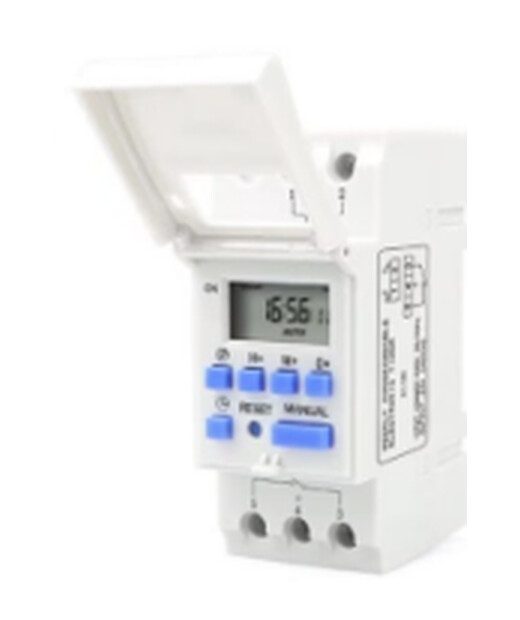
Your projection turns on and off on schedule. No staff, no apps, no forgetting.
Pick the days for each program: weekdays only, weekends only, or every day.
Every projector on the timer's circuit switches on and off together.
Laser line projectors and our 300W and LY gobo projectors remember their mode, so they switch back on exactly as you set them.
The projectors are wired side by side (in parallel), so if one fails, the rest keep running.
A 3-year battery backup holds the clock and your programs when the power drops.
Projectors run only when they're needed.
There's no fixed number. It depends on how much power all the projectors on the circuit draw together.

Tip: set each projector's mode and color with its own remote once, at install. After that the timer only switches the power. Enter times in order (earliest to latest) and don’t overlap cycles; the timer saves and exits after about 10 seconds of no input.
| P | Timer: step through each ON/OFF setting |
| D+ | Day: pick the weekday(s) for the program |
| H+ | Hour |
| M+ | Minute |
| CLOCK | Clock key: set the current time / exit |
| C | Reset: clear all |
| MANUAL | Override: switch between ON / AUTO / OFF by hand |
| Model | THC15A weekly (7-day) programmable timer |
| Programs | 16 ON / 16 OFF, each set to the days you choose |
| Voltage | 110V version for the US · 220–240V version · 50/60Hz |
| Rated load | 16A (plan with margin: about 20 × 40W laser lines or 2 × 300W gobo projectors at 110V) |
| Laser line startup current | 10W 0.7A · 20W 1A · 30W 1.1A · 40W 1.5A |
| Minimum interval | 1 minute |
| Countdown range | 1 minute – 168 hours |
| Battery backup | 3 years |
| Accuracy | ±1 second per day |
| Mounting | DIN rail, screw terminals (electrician installs) · 86.5 × 36 × 65.5 mm |
| Wiring | Projectors in parallel: if one fails, the rest stay on |
| Operating temp | -10°C to +40°C · humidity 35–85% RH |
| Weather rating | Not waterproof · outdoors, mount it inside a weatherproof enclosure |
It switches the power to your projectors on and off on a weekly schedule you set, for example on at dusk and off at midnight, so your projection runs exactly when you want without anyone flipping a switch.
The timer is rated 16A. At 110V, plan on about 20 laser lines at 40W, or about 2 gobo projectors at 300W, per timer; that leaves margin for the surge every projector draws as it switches on. Send us your list and we'll check it. Too many for one timer? Use a second timer on a second circuit.
Not from one timer. A timer gives everything on its circuit the same schedule. Put the projectors that need a different schedule on a second circuit with a second timer.
Yes. Each of the 16 programs is set to the days you choose with the Day key: weekdays, weekends, every day, or single days.
Yes. Laser line projectors and our 300W and LY gobo projectors remember their mode and switch back on as you left them. Set each one once with its own remote at install.
A licensed electrician. The timer mounts on a DIN rail and connects with screw terminals rather than a plug. The projectors are wired in parallel, so if one fails the others keep running. Laser line startup current for the electrician: 0.7A (10W), 1A (20W), 1.1A (30W), 1.5A (40W).
No. A 3-year battery backup keeps the clock and your programs.
Only inside a weatherproof electrical enclosure. The timer itself isn't waterproof, so mount it indoors or in a sealed box.
Yes. There is a 110V version for US installs, and a 220–240V version.
Open any eligible projector and add the Outdoor Waterproof Timer for $88.88 right in the configurator.
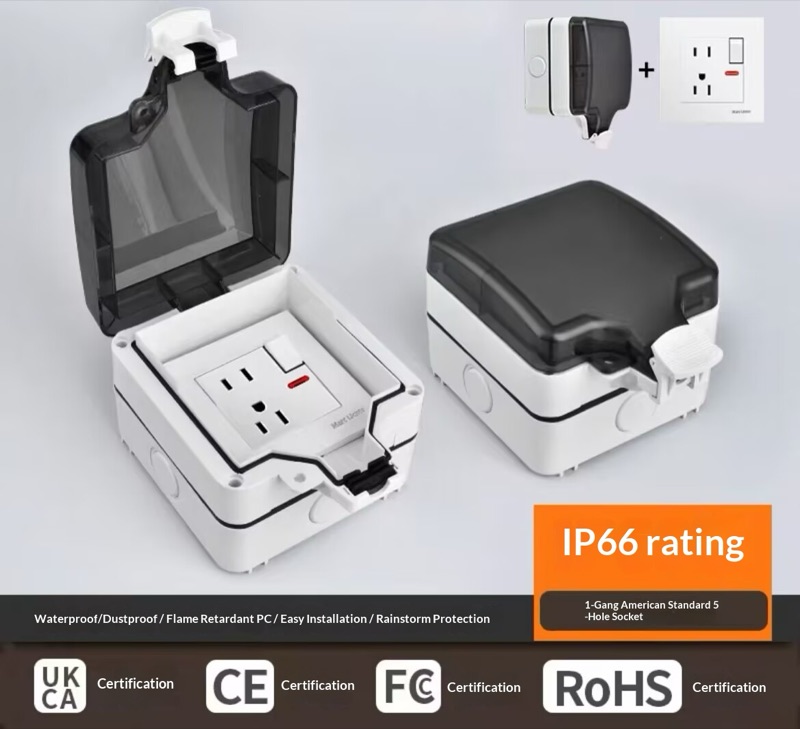 Waterproof Switch Cover — $88.88