Nov 06, 2026
Plan Your Warehouse Laser Safety Lines to Scale, Before You Buy
Painted lines wear off and tape lifts. A projected laser line does neither, but it raises a new question before you buy: how many projectors does an aisle need, how high should they go, and what will the line actually look like on your floor? Our new Laser Line Planner answers all three in a couple of minutes.
What the planner does
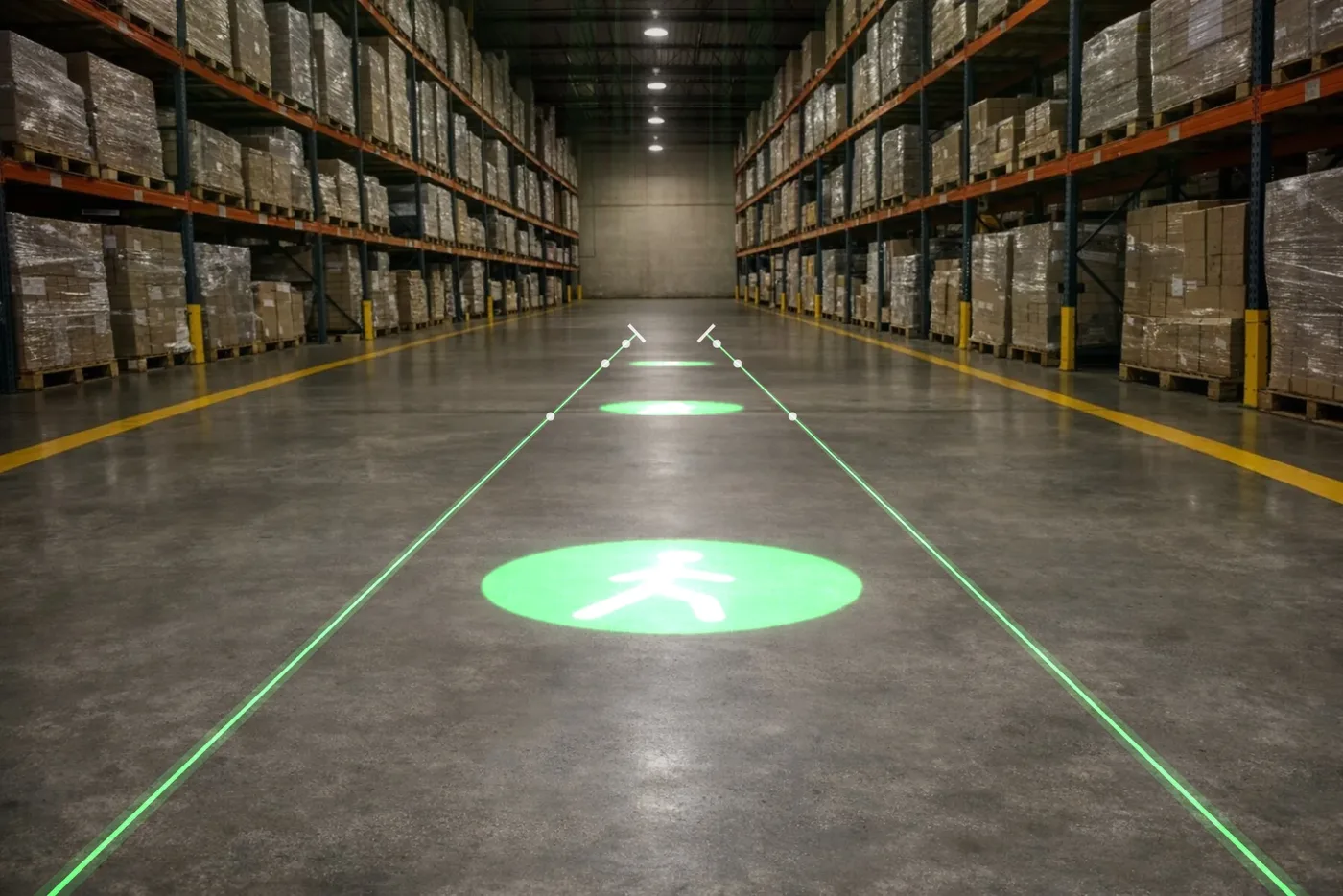
- Lines at true scale. Pick a warehouse photo, or upload a photo of your own floor and set the scale with one known length, like an aisle width. Drag a line to move it, and drag its ends to turn or stretch it.
- Unit counts worked out for you. Each line shows where it starts and ends, its length, and where one projector hands over to the next.
- Line quality you can see. When one unit is stretched over a long or wide line, the ends soften. The planner shows that, rates each line, and lets you add a unit for a sharper result.
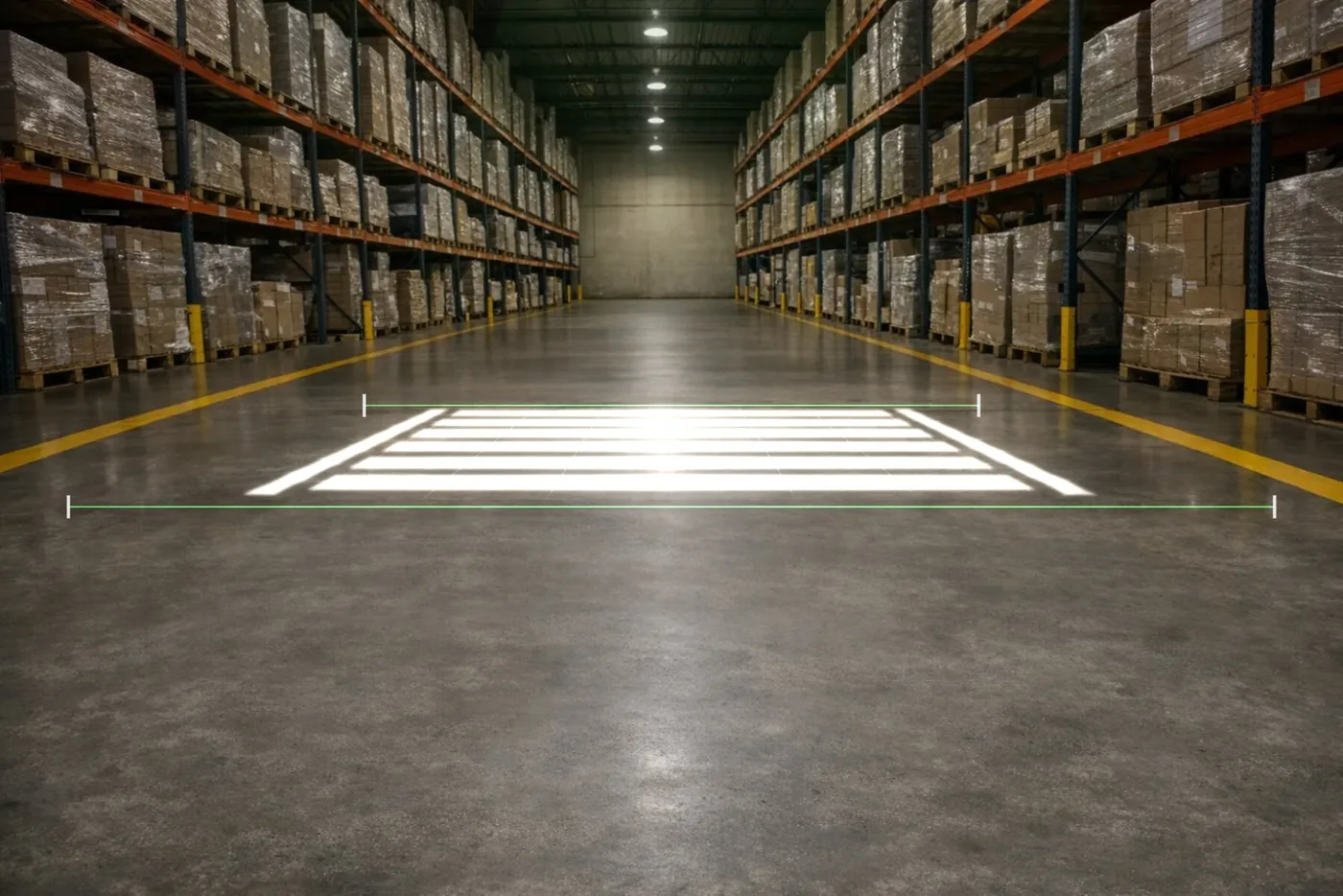
- Projected signs, too. Add STOP, crosswalk, walkway, forklift caution, KEEP CLEAR and more, choose from our warehouse safety gobos, or upload your own sign or logo. Pick the size you want and it chooses the lens, or pick a lens and see the size.
- Templates for common areas. Start from a pedestrian walkway, aisle edges, a crosswalk, a loading dock, a forklift keep-out zone or an aisle intersection, then drag things into place.
- A floor plan and a report. Switch to the floor plan for a top-down layout, download a report to share with your team, or email yourself the plan and quote.
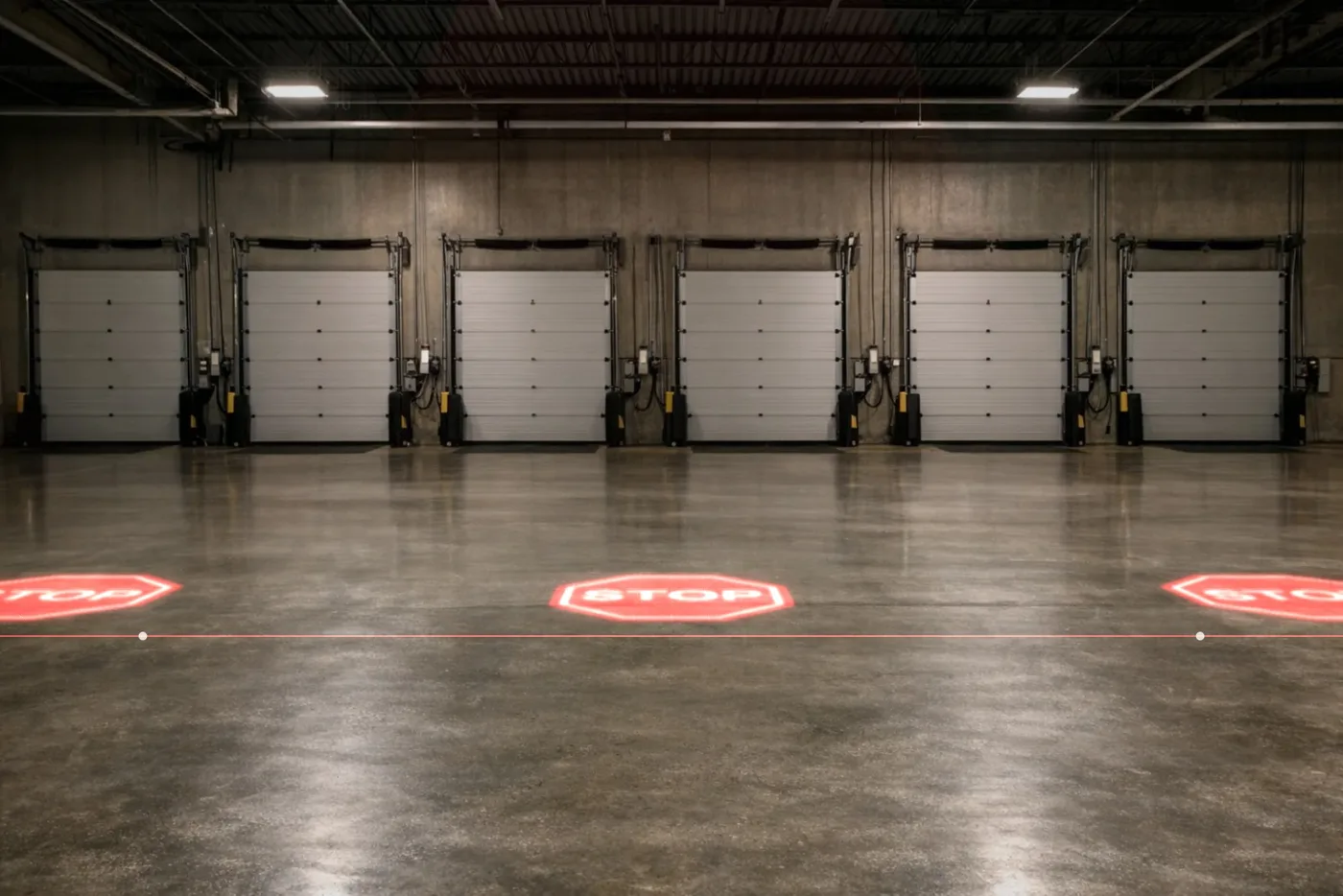
How laser line length works
A laser line projector is not a gobo projector, and the math is different. The length of the line is set by how high the unit is mounted and the lens ratio:
Line length = mounting height × the ratio.
| Lens ratio | At 10 ft high | At 20 ft high | Available on |
|---|---|---|---|
| 1:1.2 (best quality) | about 12 ft | about 24 ft | 10W–40W, confirmed with your quote |
| 1:2 | about 20 ft | about 40 ft | 10W and 20W |
| 1:3 | about 30 ft | about 60 ft | 10W and 20W |
| 1:4 | about 40 ft | about 80 ft | 30W and 40W |
To find the unit count, divide the run by the line each unit draws and round up. A 120 ft aisle with units mounted 20 ft up needs two units on the 1:4 lens (80 ft each), or five on the 1:1.2 lens (24 ft each), which gives the most solid line.
Getting the sharpest line
- Shorter ratio, sharper line. The 1:1.2 lens gives the brightest, most solid line from end to end. Longer ratios cover more floor per unit, but the ends look softer.
- Thinner is brighter. A 3/8 in (1 cm) line looks brighter and more solid than a wide band from the same projector. The planner starts every line at the thinnest setting.
- Long aisle? Add units, don't stretch one. Two lines end to end look better than one very long line. Mount every unit in a run at the same height so the brightness matches.
- Ends looking soft? Trim them with the length and width control on the front of the projector.
- Mount to solid building steel. A unit on a spot that vibrates will shake the line.
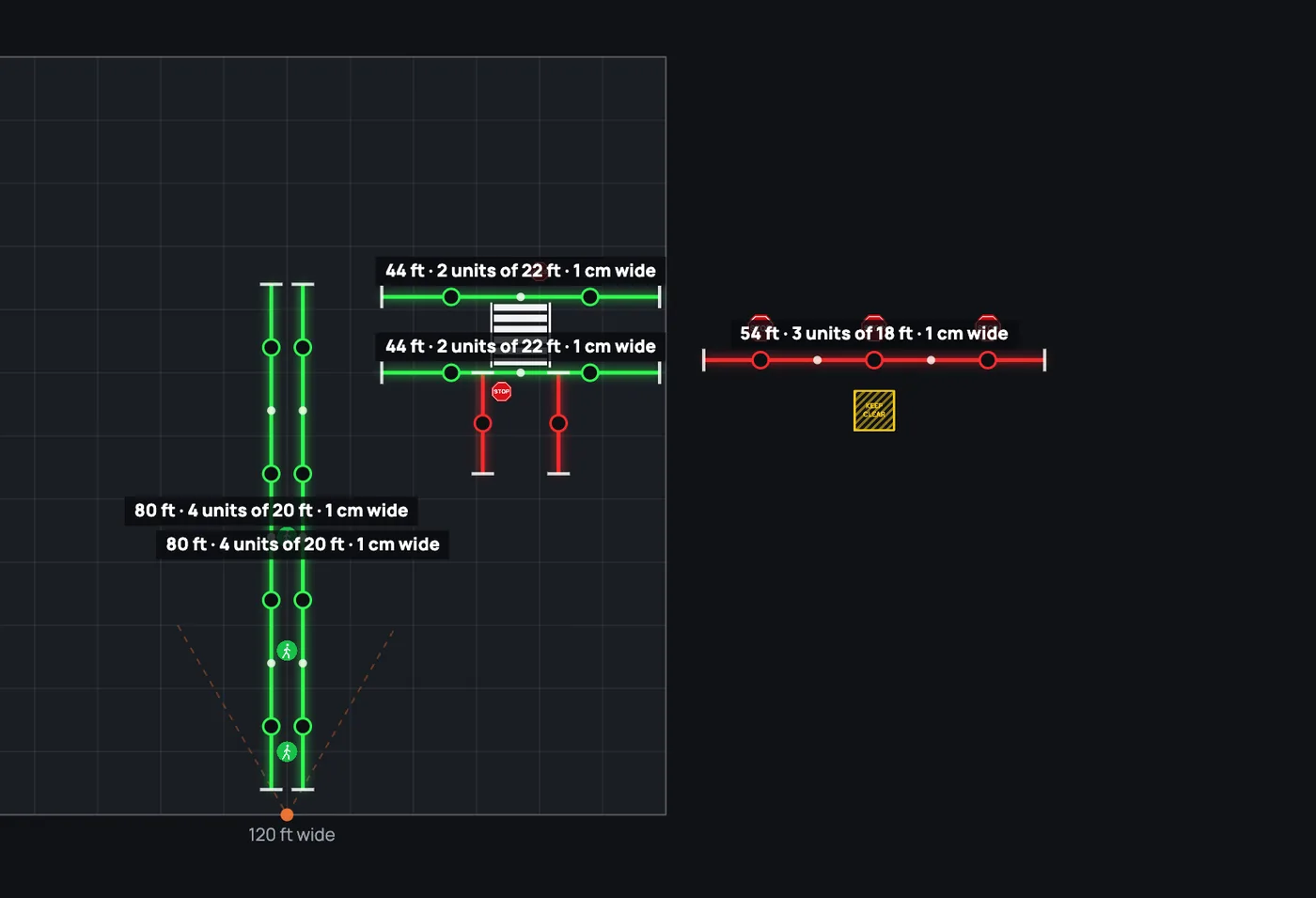
Plan a whole building with our AI planner
Got a bigger site? Describe it in plain words, like "six aisles, 150 ft long, 24 ft ceilings, a crosswalk at the dock." Our AI planner asks a few questions, lays the whole project out on the floor plan at scale, and builds the quote. You can then adjust any line or sign by hand.
Try it on your own floor
Open the planner, pick a template or upload a photo of your warehouse, and see your safety lines before you buy.
Open the Laser Line PlannerSee the laser line projectorsWarehouse safety projectorsFrequently asked questions
Is the Laser Line Planner free?
Yes. The planner is free to use and there is nothing to install. You can add the planned items to your cart, email yourself the plan and quote, or ask our team to review it.
How do I know how many laser line projectors I need?
Divide the length of the run by the line one unit draws (mounting height × lens ratio) and round up. The planner does this for every line and shows where each unit's line starts and ends.
Which lens ratio should I choose?
For the brightest, most solid line, choose the 1:1.2 lens. The longer ratios (1:2 and 1:3 on the 10W and 20W, 1:4 on the 30W and 40W) cover more floor with fewer units, but the ends look softer. The ratio is set when the projector is built, so choose it before you order.
Can I use a photo of my own warehouse?
Yes. Upload a photo of your floor, then drag two dots to the ends of something you know the length of, like an aisle width or a dock door, and the planner draws everything at that scale.
Can the planner show projected signs as well as lines?
Yes. Add STOP, crosswalk, walkway, forklift caution, KEEP CLEAR and other signs, choose one of our warehouse safety gobos, or upload your own sign or logo. The planner sizes the projector and lens for your mounting height.
Are the results exact?
They are planning estimates. Results depend on your site: mounting height, ambient light, floor color and finish, and the distance each line covers. We confirm the setup with you before you order.
Complete your projector setup
Automate when it runs and protect it from the weather — both add right on any projector.