Oct 02, 2026
How to mount a gobo projector: poles, walls, ceilings and more
"How do I mount it?" is the question we hear most, right after "how bright is it?" If you can hang a heavy shelf, you can mount a gobo projector. Here is how it goes on a pole, a wall, a ceiling or a ledge, and exactly what to pick up at the hardware store.
 Tap to zoom
What comes in the box, and what doesn’t
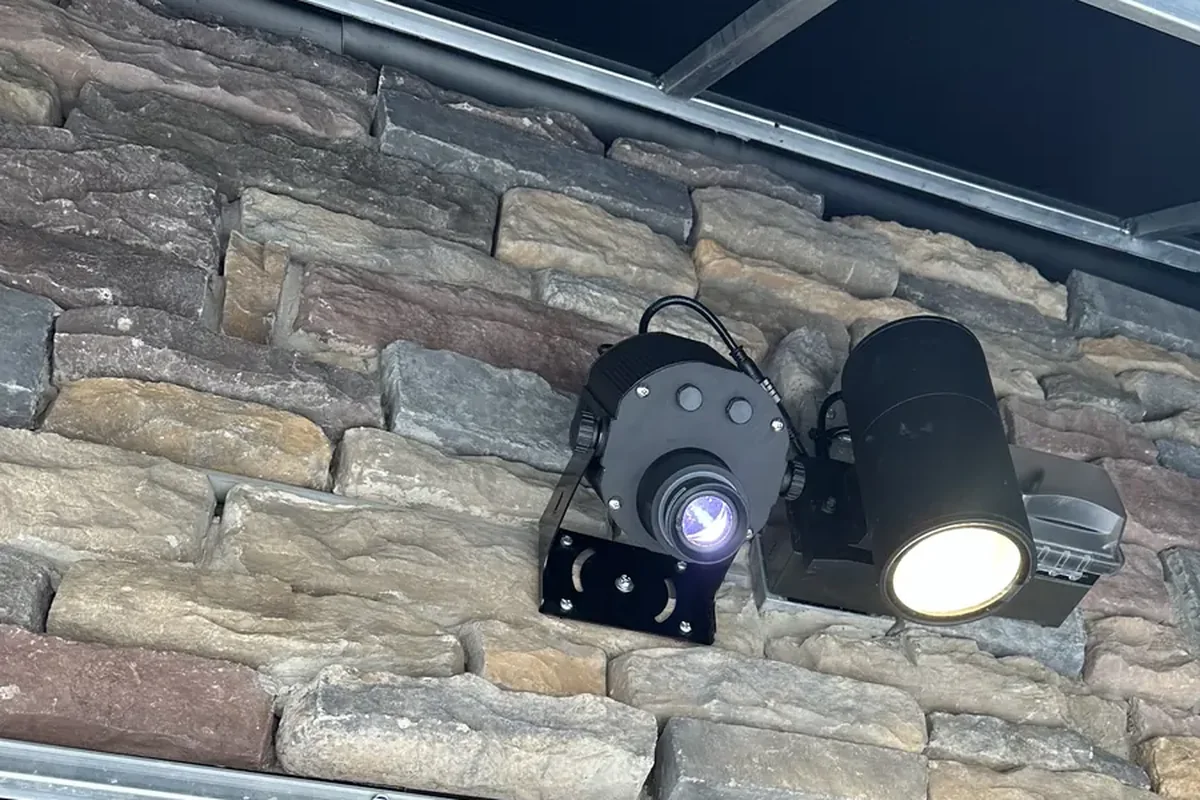
Our gobo projectors ship with a mounting bracket, a power cord (5 ft standard, longer cut to length if you order it) and the remote. On most models the projector tilts in its bracket and locks, so you can aim it after the bracket is fixed. Recessed models ship with their trim and driver, track models with a track adapter, and the 1500W units bolt to a structure. If you want to know exactly which bracket your model has, just ask us.
What is not in the box is the fixing for your surface, because it depends on what you are fixing into:
| Mounting on | Pick up |
|---|---|
| A pole or post | Two stainless steel band clamps, or two U-bolts sized to the pole |
| Brick, block, stone, concrete | Sleeve or wedge anchors |
| Siding, stucco, drywall | Structural screws into a stud or blocking (never drywall alone) |
| A ceiling or soffit | Lag screws into a joist, or through-bolts / concrete anchors |
| A ledge, roof or the ground | Screws or anchors to hold the base down |
Mounting on a pole
Best for: parking lots, entrances, plazas, sidewalks and light poles.
 Tap to enlarge
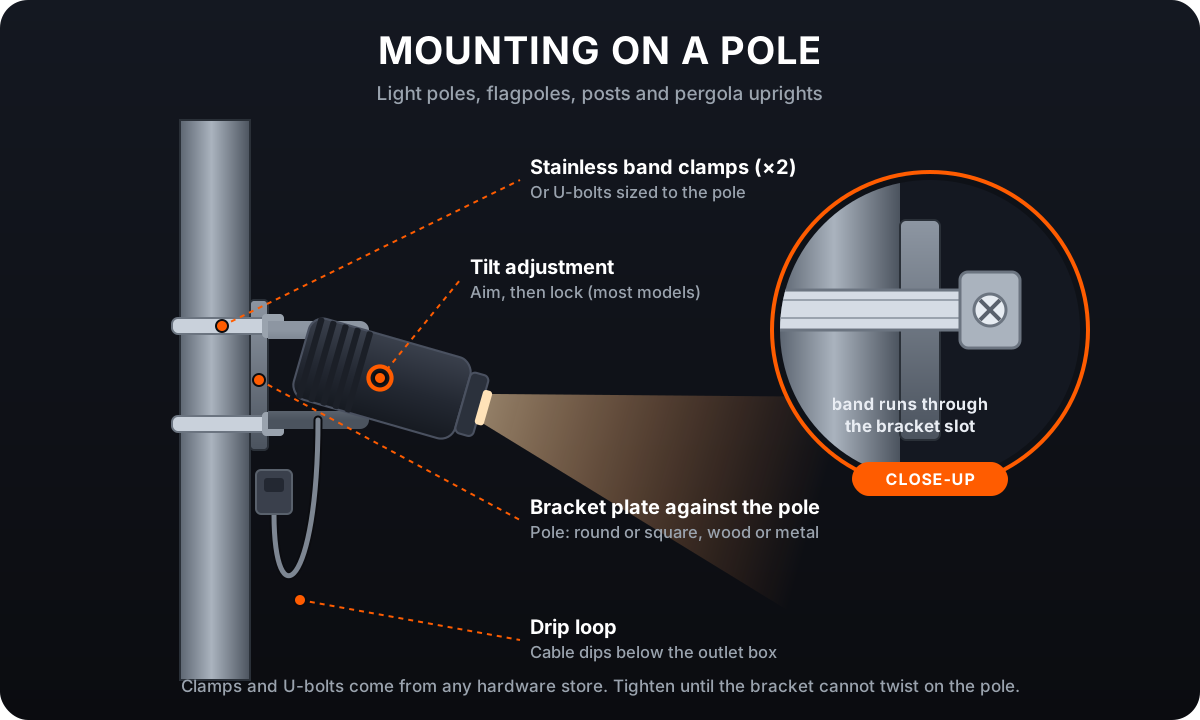
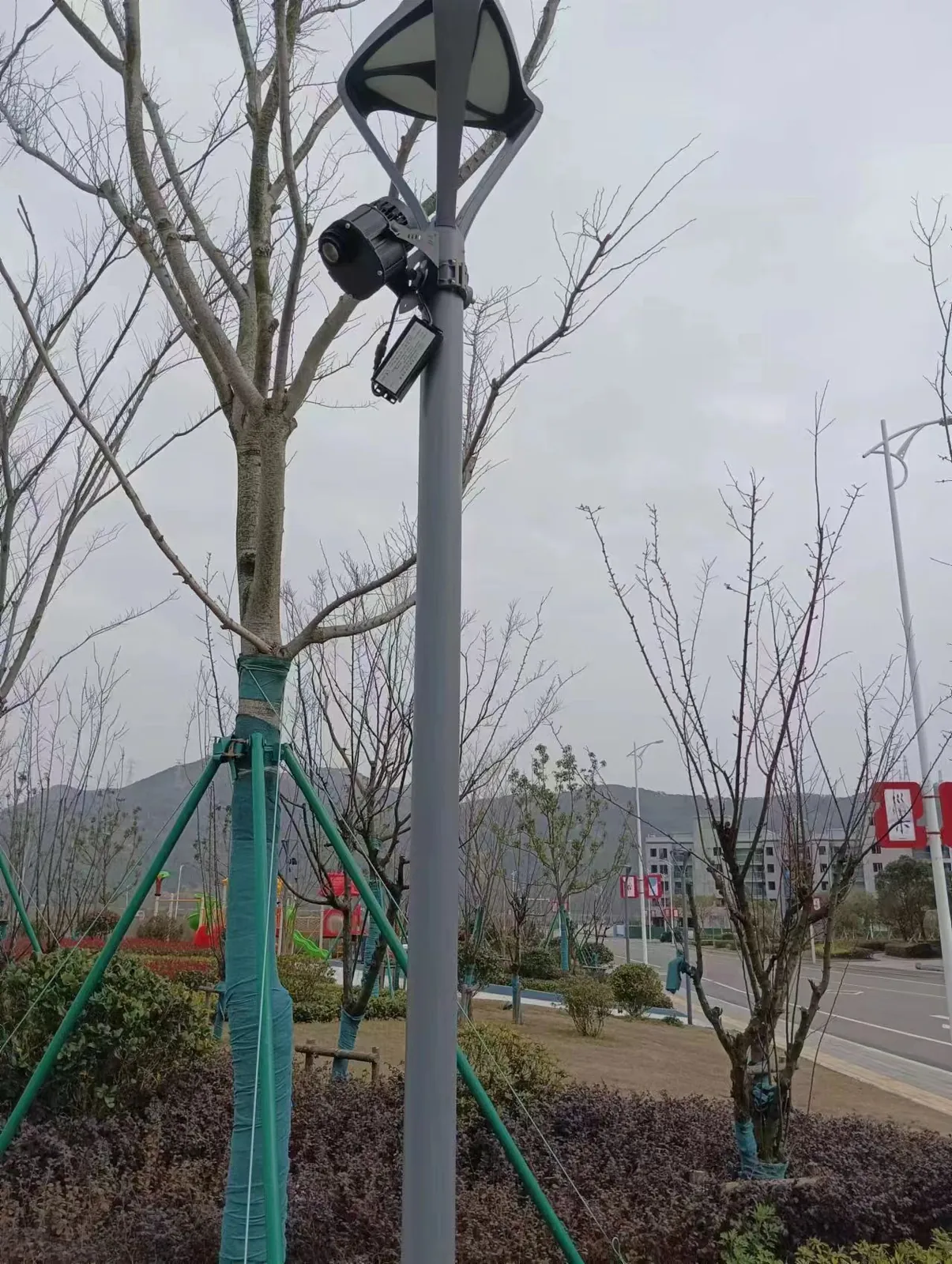
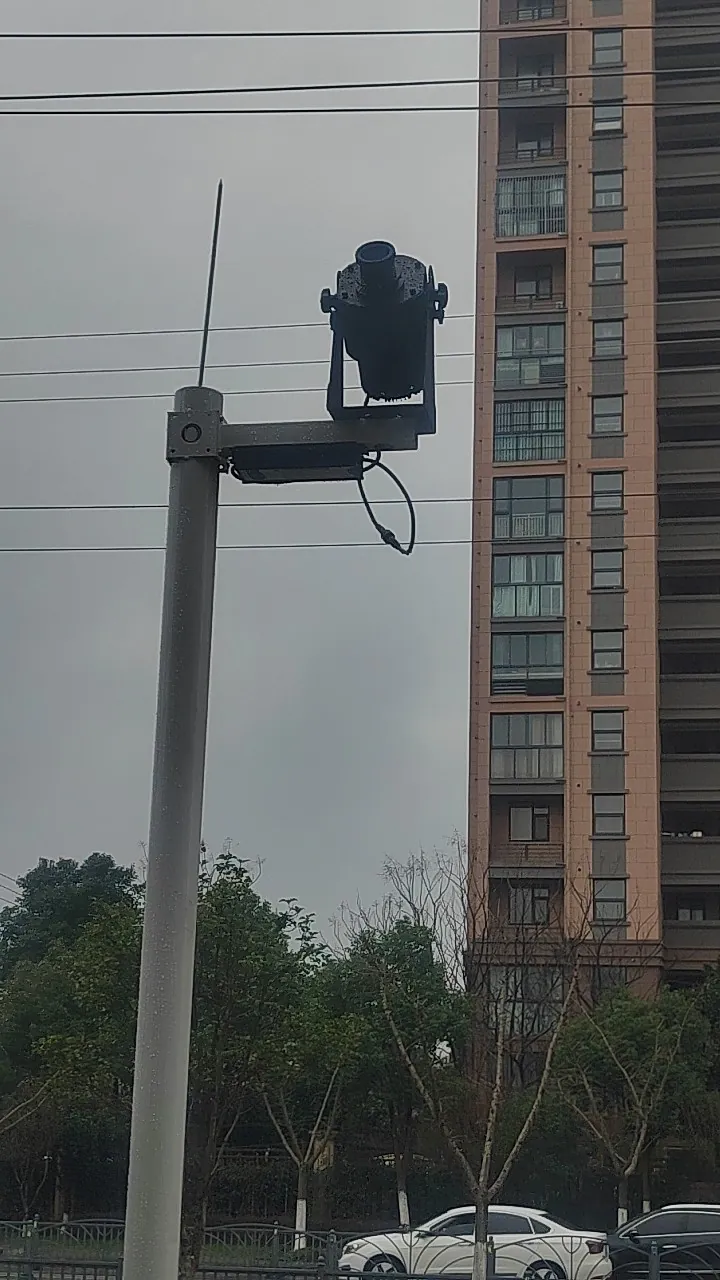
- Hold the bracket plate flat against the pole at the height you want.
- Run two stainless band clamps (or two U-bolts sized to the pole) through the bracket and around the pole.
- Tighten until the bracket cannot twist, even when you push on the projector.
- Leave a drip loop: let the cable dip below the outlet box before it rises into it.
 Tap to zoom
 Tap to zoom
Pick up: two stainless band clamps or U-bolts sized to your pole.
Mounting on a wall
Best for: storefronts, building faces, warehouses and feature walls.
 Tap to enlarge
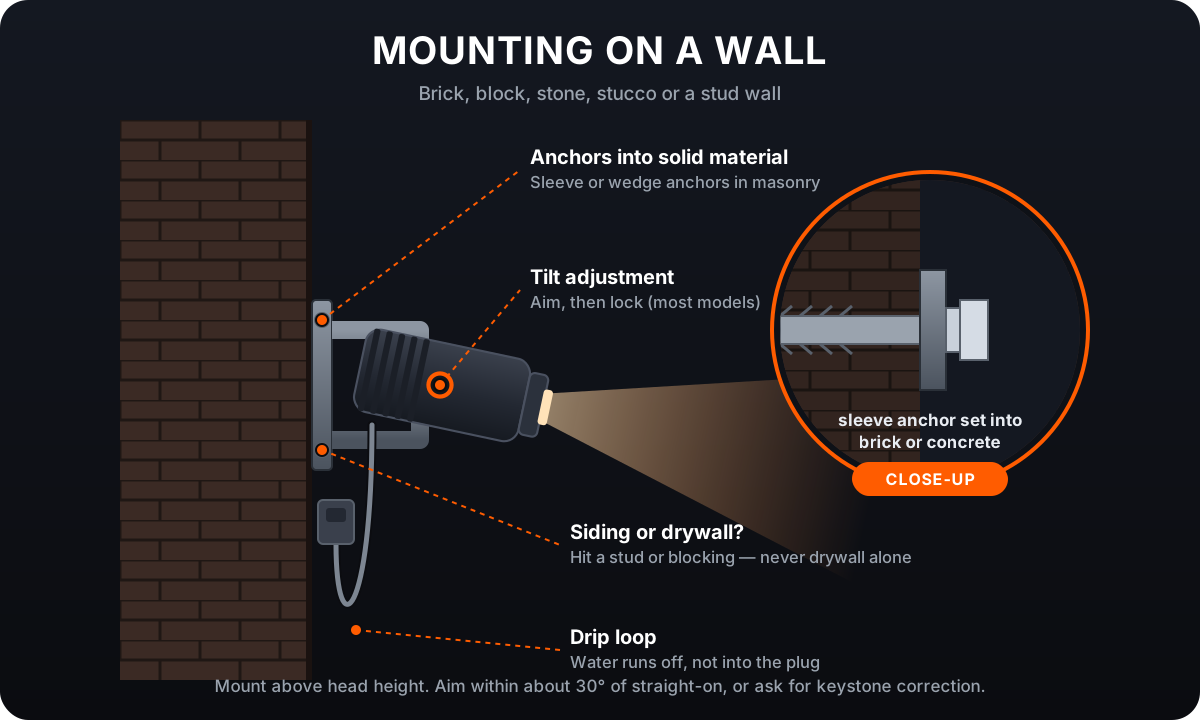
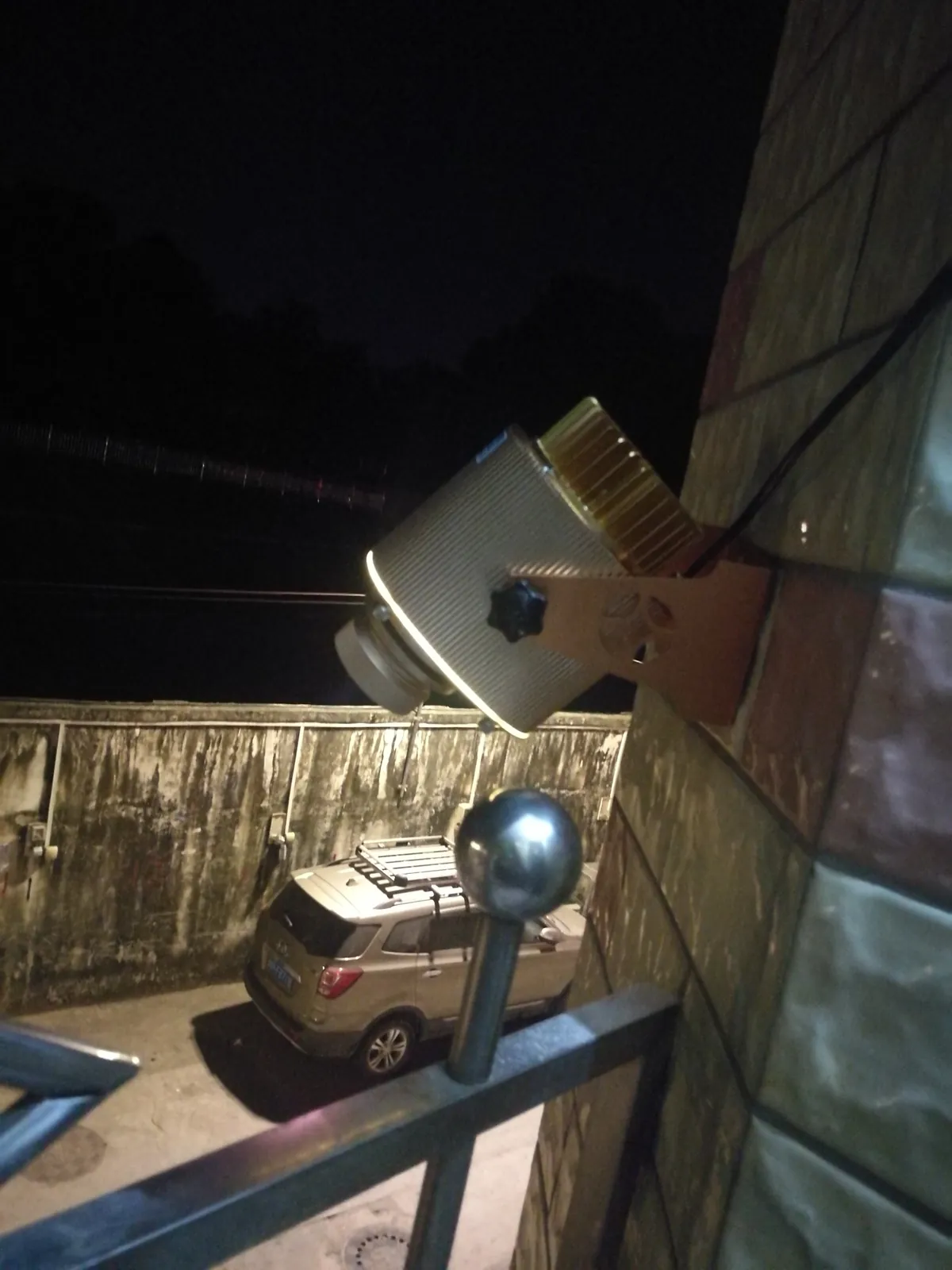
- Mark the bracket holes on the wall, above head height.
- Brick, block, stone or concrete: drill and set sleeve or wedge anchors.
- Siding, stucco or drywall: fix into a stud or solid blocking. A projector hanging from drywall alone will sag and pull out.
- Bolt the bracket on, mount the projector, aim it and lock it in place.
 Tap to zoom
Pick up: masonry anchors, or structural screws into a stud.
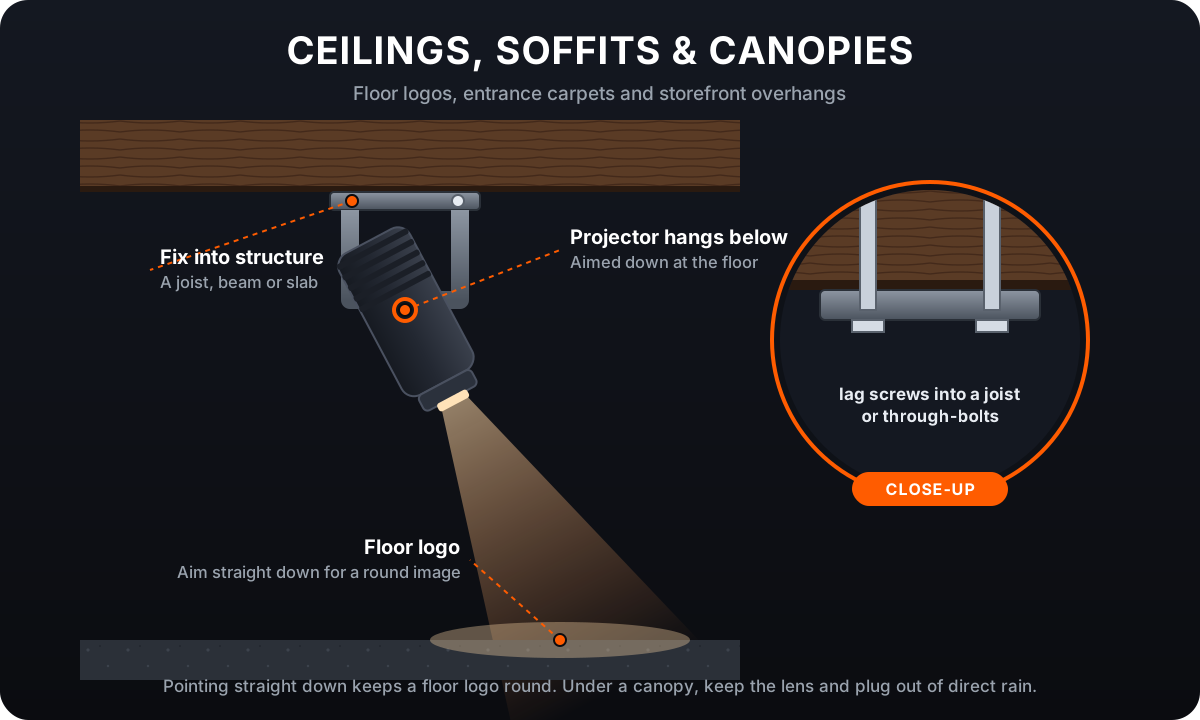
Ceilings, soffits and canopies
Best for: floor logos, entrance welcomes, store aisles, awnings and canopies.
 Tap to enlarge
- Find a joist, beam or concrete slab, not just the ceiling board.
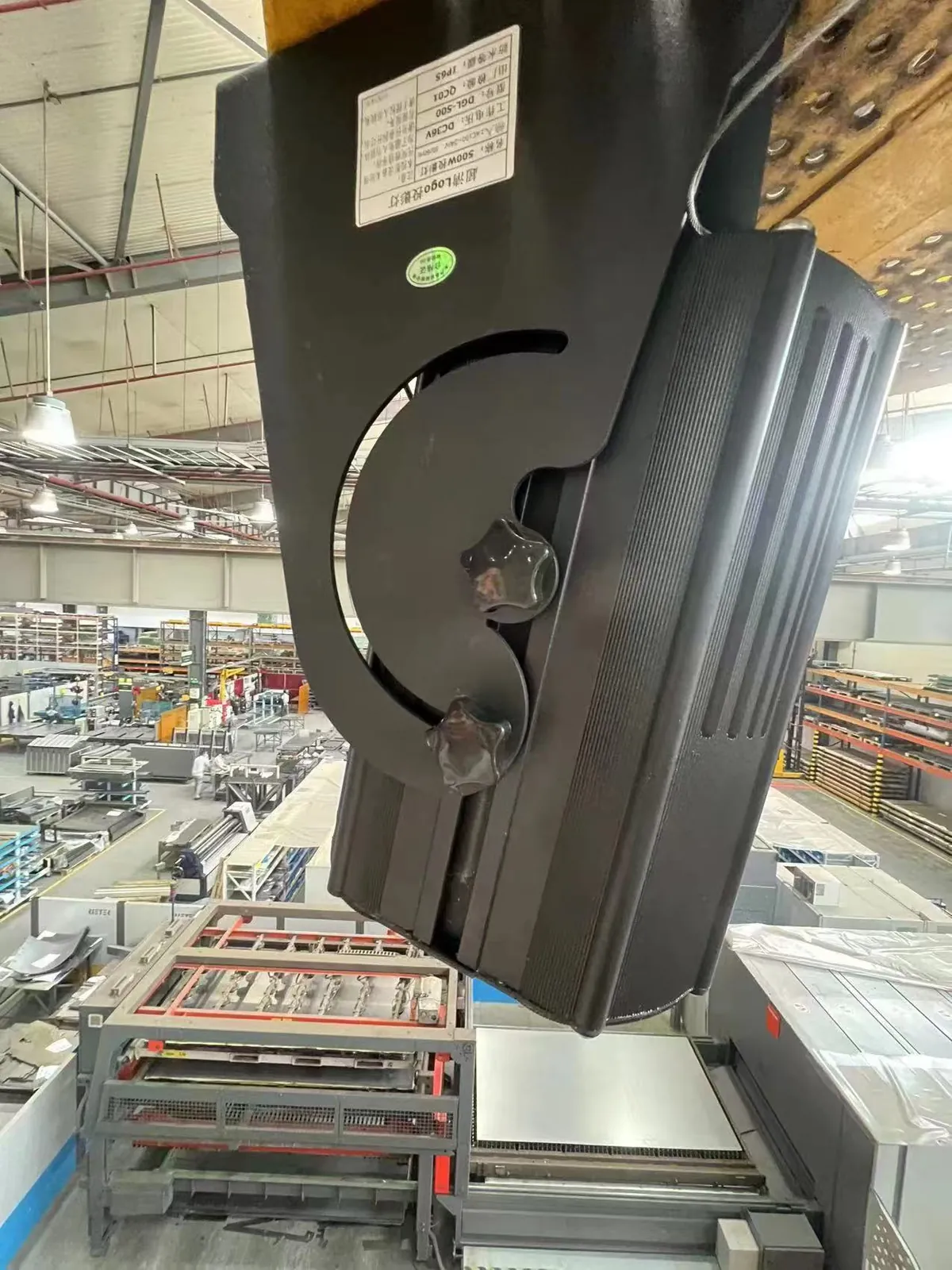
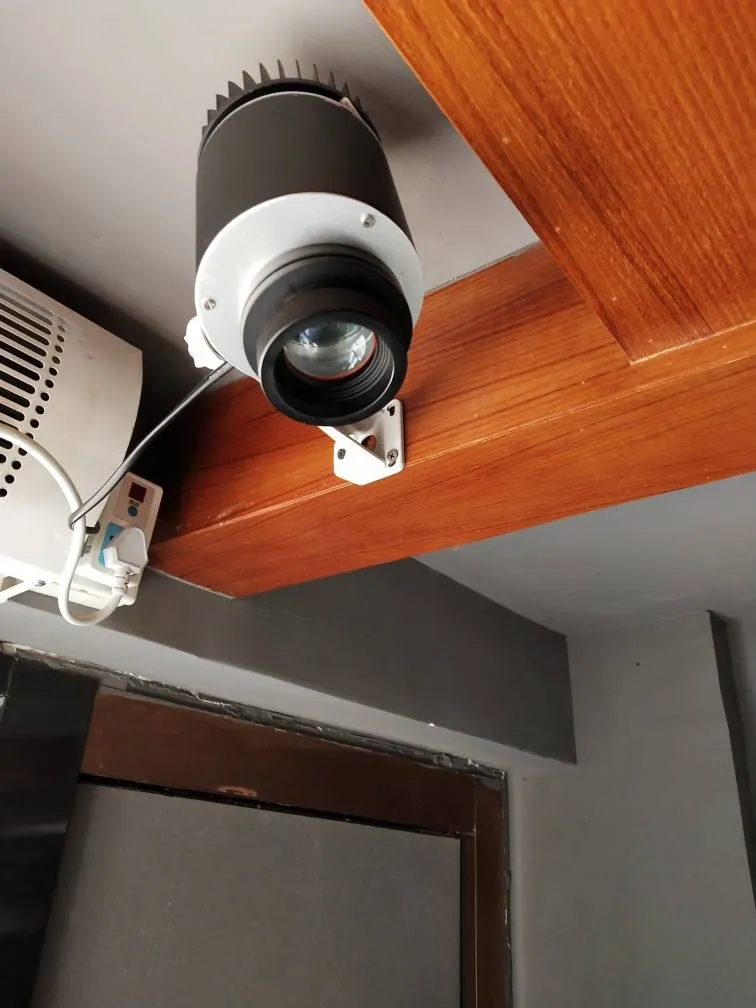
- Fix the bracket with lag screws into wood, or through-bolts / concrete anchors.
- Mount the projector so it hangs below the bracket, aimed down.
- Point it straight down for a round floor logo. Under an outdoor canopy, keep the lens and plug out of direct rain.
 Tap to zoom
 Tap to zoom
Pick up: lag screws, through-bolts or concrete anchors for your ceiling.
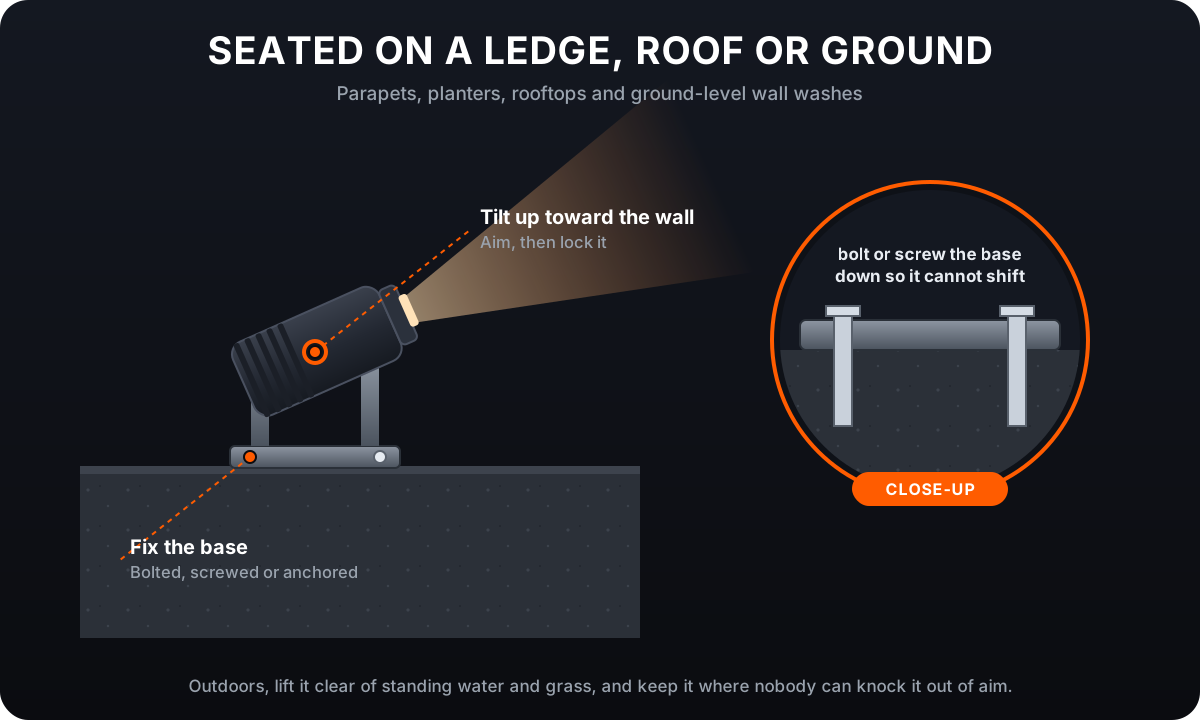
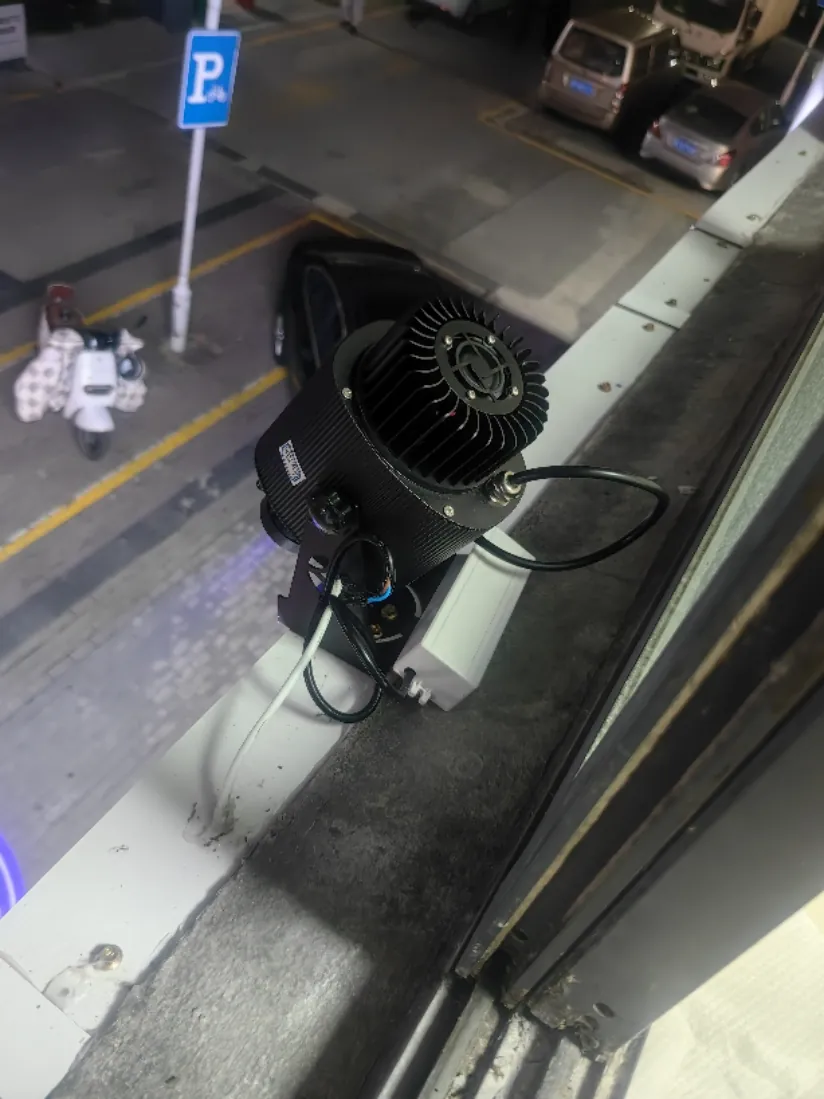
Seated on a ledge, a roof or the ground
Best for: rooftops, parapets, planters and upward wall washes from the ground.
 Tap to enlarge
Where your model’s bracket can stand on its base, bolt the base to a parapet, a rooftop curb or a ledge and tilt the projector up at the wall (ask us if you are not sure your model sits this way). Keep it out of standing water, snow and sprinklers, and somewhere nobody can knock it out of aim.
 Tap to zoom
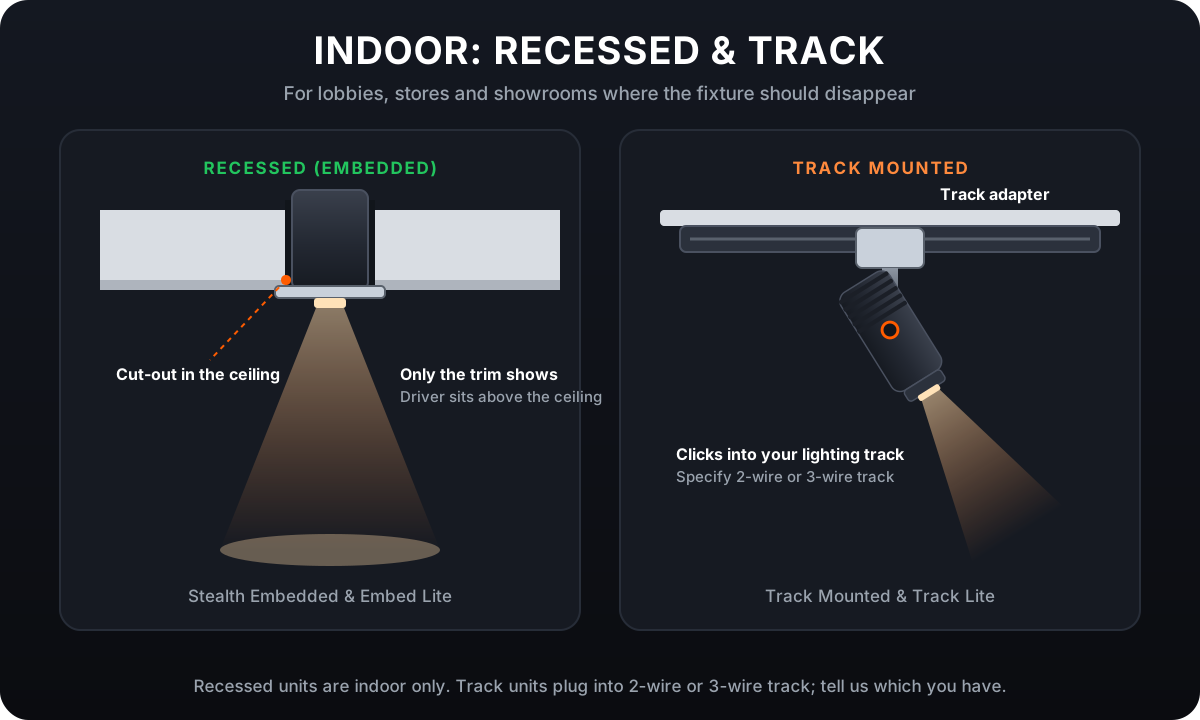
Indoors: recessed and track
Best for: lobbies, retail stores, showrooms and restaurants, where the fixture should disappear.
 Tap to enlarge
Our recessed projectors set into a ceiling cut-out so only the trim shows, with the driver above the ceiling. Track projectors click into the lighting track you already have; tell us whether it is 2-wire or 3-wire when you order. Both are indoor only.
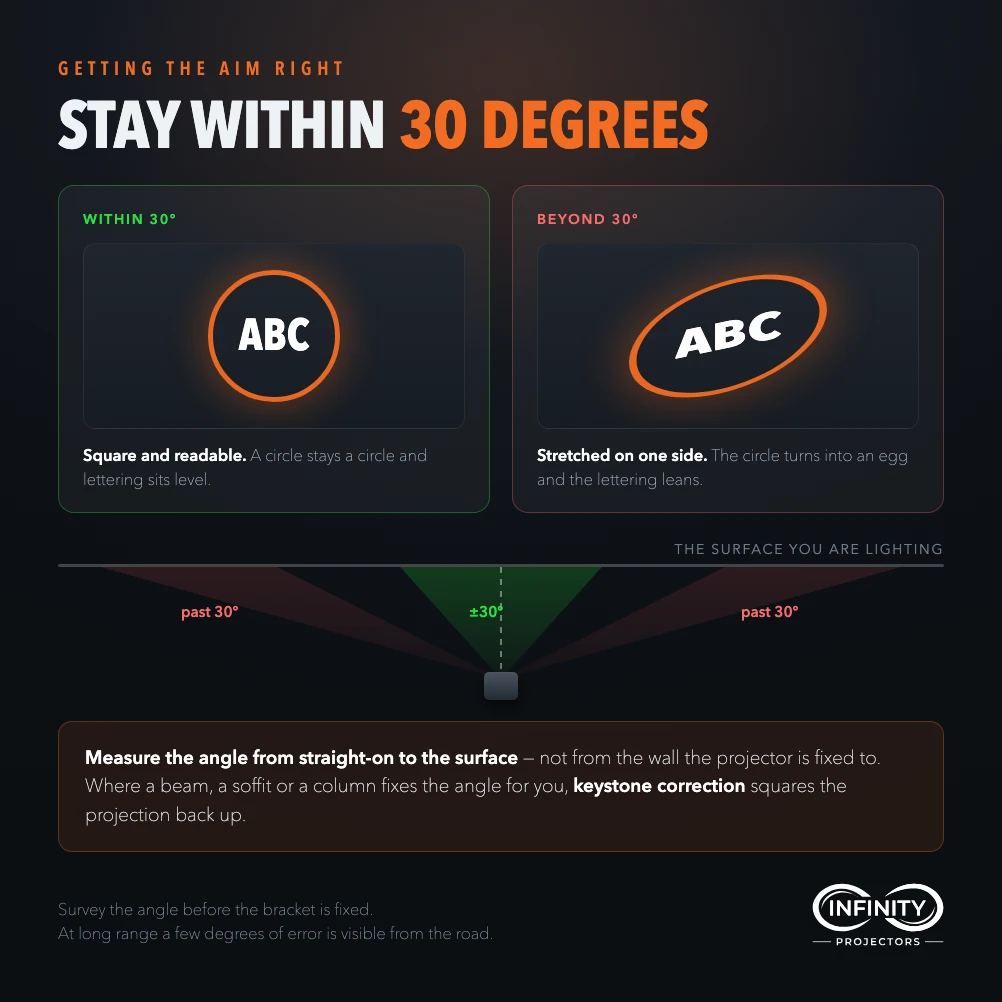
The 30° rule, and keystone correction
Keep the projector within about 30° of pointing straight at the surface and the logo stays round. Go steeper and it stretches into an oval or a trapezoid, one side bigger and dimmer than the other.
When the only spot forces a steep angle (high on a wall aiming down at the sidewalk, for example), ask for keystone correction. We cut the gobo pre-distorted to your angle, so the image lands square and round. Tell us the angle when you order.
 Tap to enlarge
How high, and how far?
Distance sets the size: the image is roughly the lens number times the distance, so a 0.33 lens makes a 3.3 ft image from 10 ft. Most entrance logos are mounted 9 to 20 ft up. The Wattage Finder works out the distance, the lens and the wattage for your spot.
Before you climb
- Fix into structureA pole, masonry, a stud, a joist or a slab, never drywall or ceiling board alone.
- Work safely at heightUse a lift or stable platform with fall protection, and a second person for heavier units.
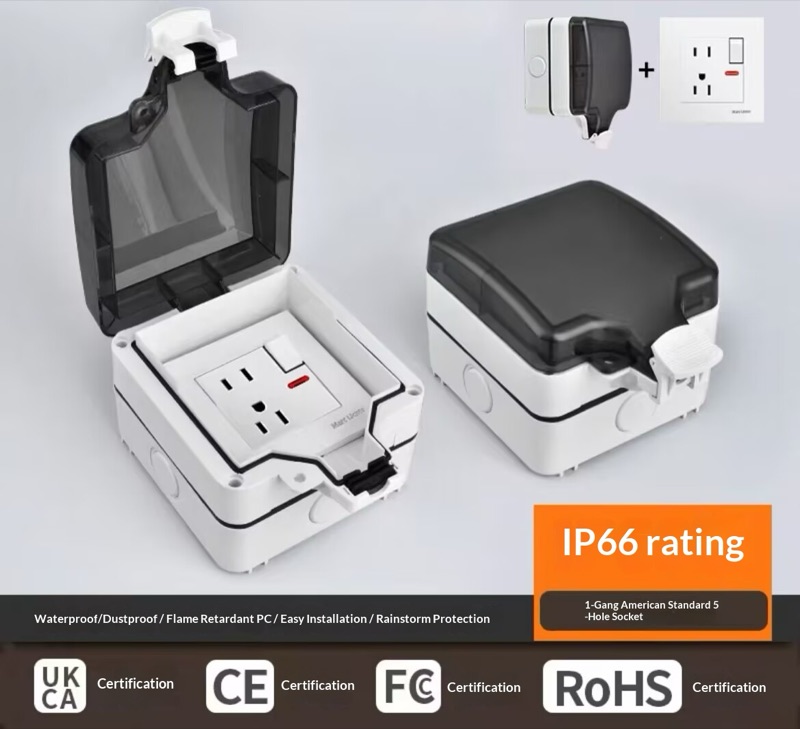
- GFCI outdoorsPlug outdoor projectors into a GFCI weatherproof outlet, with a drip loop in the cable.
- Above head heightOut of reach and out of eyes. Laser models aim at surfaces, never at people.
- Big units are a rigging jobThe 1500W projectors bolt to a structure; your installer or engineer decides the fixing.
- Electrician only when neededPlug-in installs need none; hardwired and recessed installs do.
Watch a pole mount
A crew fixing a projector to a pole. At height, work from a lift or wear a harness.
Key takeaways
- Our gobo projectors ship with a mounting bracket; the fixings for your surface come from the hardware store.
- Always fix into structure: a pole, masonry, a stud, a joist or a slab.
- Aim within about 30° of straight-on, or ask for keystone correction.
- Outdoors: GFCI outlet and a drip loop. At height: a lift and fall protection.
Mounting FAQ
Everything people ask us about mounting. Tap a question to open it.
Brackets & hardware
Does the projector come with a mounting bracket?
Yes. Our gobo projectors ship with a mounting bracket, and on most models the projector tilts in it and locks, so you can aim it after the bracket is fixed. Recessed, track and 1500W models mount differently. Ask us if you want to confirm the bracket for your model.
What hardware do I need to buy?
Only the fixings for your surface: two stainless band clamps or U-bolts for a pole, sleeve or wedge anchors for brick and concrete, structural screws into a stud for a framed wall, and lag screws or through-bolts for a ceiling joist.
What size clamps or U-bolts do I need for my pole?
Wrap a tape around the pole and divide the circumference by 3.14 to get the diameter. Buy two stainless steel clamps or U-bolts whose range covers it. Stainless matters outdoors, because plain steel rusts.
Can I mount it on siding or stucco?
Yes, but fix through the cladding into a stud or solid blocking, never into the siding or stucco alone, and seal every hole with exterior sealant.
Height, angle & keystone
How high and how far should it be?
Most entrance logos sit 9 to 20 ft up. Distance sets the size: the image is roughly the lens number times the distance, so a 0.33 lens makes about a 3.3 ft image from 10 ft. The Wattage Finder works it out for your spot.
Can it be mounted at an angle?
Within about 30° of straight-on the logo stays round. Steeper than that, it stretches into an oval or a trapezoid.
What is keystone correction?
For a steep angle, we cut the gobo pre-distorted to that angle so the image lands square and round. Tell us the angle, or send a photo of the spot, when you order.
Outdoors & power
Can I mount it outdoors?
Our outdoor models are IP65 weatherproof and built for permanent installation. Use a GFCI-protected outdoor outlet and leave a drip loop in the cable. Indoor, recessed and track models are indoor only.
Do I need an electrician?
Usually not: our projectors plug into a standard outlet. Hardwired, recessed and very high-wattage installs are a job for a licensed electrician.
What if the outlet is far away?
The standard cord is 5 ft, and longer cords are available cut to length, from 6 ft up to 75 ft on many models. Order the length you need rather than running an extension cord outdoors.
Special situations
How do I keep it from being stolen or tampered with?
Mount it high and out of reach, use tamper-resistant security screws on the bracket, and route the cable where it cannot be pulled.
Can you tell me where to mount it?
Yes. Send us a photo of the spot, the distance to the surface and the size you want, and we will recommend the mount, the height, the lens and the wattage.
Complete your projector setup
Automate when it runs and protect it from the weather — both add right on any projector.