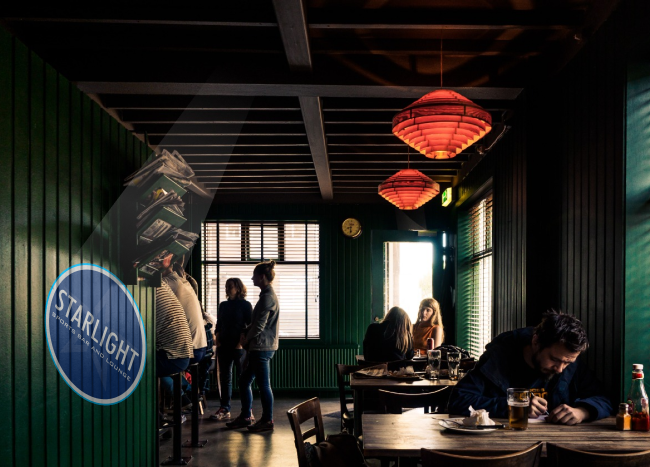
Four logos loaded at once, in one projector. Let it rotate through all four automatically, changing on its own while nobody touches it — or press 1, 2, 3 or 4 on the remote to hold any single design for as long as you want. That's the whole idea: four sponsors sharing one wall, or four messages running on one surface, from a single unit that never needs a ladder. From $578.88, in fourteen wattages from 35W to 700W, IP65 rated for permanent outdoor use. This is the static model: the designs are held still, and it does not spin. If you want the logos to rotate, that's a different machine — the 4-Gobo Spin — and we explain the difference below so you buy the right one.
Nothing gets fabricated, nothing gets drilled into the wall, and changing the message costs a piece of glass rather than a new sign. Just four pieces of your brand in light, on a surface you already own. Join The Projection Revolution ∞
Sponsorships. One wall, four sponsors, equal time each. You sell the same surface four times over and nobody has to swap anything between slots. For venues, arenas, clubs and event spaces this changes what a blank wall is worth.
Multiple messages. Logo, opening hours, this week's promotion, a thank-you as people leave. Or open / closed / wait time / welcome. A single sign says one thing forever; this runs a whole sequence and you decide the order.
The 4-gobo comes as two different machines: 4 Gobo Static (this one) and 4 Gobo Spin. This is not a mode you toggle on the remote. It is how the unit is built: chosen at purchase, and fixed from then on.
Each projection sits perfectly still for its whole turn, then the projector advances cleanly to the next one. Nothing rotates and nothing drifts, so a logo that lands square on the first cycle lands square on the four-hundredth.
That is what you want for a company logo, a sponsor mark, opening hours, safety wording, directional arrows — anything with type in it, anything a customer is meant to read.
The spin version turns each projection while it is showing. It looks genuinely beautiful on scenic artwork. But because the gobo is rotating as the unit advances, a logo does not come back to the same position — the second time round it sits at an angle. For a snowflake that is an improvement. For a sponsor who paid for the placement it looks like a fault, and you will hear about it.
We would rather tell you that now than have you unhappy with a crooked logo later. Scenic and decorative artwork: spin. Anything with words: static. Unsure: static.
The projector shows logo 1 still, changes smoothly to logo 2 still, then 3, then 4, and back around. Each design is stationary the whole time it's on the wall, and the change between them is clean. Because nothing rotates, every logo comes back in exactly the same position — straight, square and right way up, every single cycle.
That's what you want for a sponsor mark, a company logo, anything with type in it, anything that has to look deliberate rather than decorative. This is the mode most businesses buy, and it's the model you're looking at now.
Spin shows the first logo, the logo rotates, then it advances to the next one, which also rotates, and on through the set.
Here's the part you need to know: because each gobo is turning as the unit advances, a logo does not come back around in the same position. The second time you see it, it's sitting at a different angle — not straight. There's no way around that; it's how the mechanism works. On spin models the remote also lets you change the rotation speed, from a slow drift to something livelier.
So spin is genuinely great for scenic and holiday content — festival themes, snowflakes, seasonal patterns, decorative artwork where "straight" doesn't mean anything and the movement is the effect. For sponsorship logos and everyday business logos, go static. We'd rather tell you that now than have you unhappy with a crooked logo later.
And to say it once more, because it's the part people get wrong: this static projector holds every design still. Showing one gobo at a time and holding it still is what the machine does. If you think you'll want rotation later, buy the spin version now — rotation is built in at the factory.
There's a simple formula behind it:
Projection distance × lens size = projection size
In plain terms: the 0.33 lens makes a 3.3-foot image from 10 feet away. Multiply the lens number by your distance and that's your image width. This model ships with the 1:0.33 as its standard lens.
The part most people miss: a wider lens doesn't add light, it spreads the same light over more area. So a bigger projection normally needs a step up in wattage to stay sharp. Lens and wattage get picked together — run the Wattage Finder and it sizes both at once, then we'll sanity-check it with you. The lens guide covers each lens in detail.
One lens, matched to the wall you are mounting on, covers a fixed install completely.
A second lens is what you buy if the projection might ever need to be a different size. A retailer who moves the unit from the entrance to the car park wall. A business that opens a second location and wants the same projector tested there first. Anyone who mounts at 20 feet and later wishes the logo were twice as wide. Swapping the lens takes about a minute and completely changes the size — a second projector to get a second size costs many times more. The lens guide shows what each one gives you at your distance.
Point it as square to the wall as the bracket allows. Inside about 30 degrees of straight-on, the projection reads as a clean rectangle. Past that the far edge grows wider than the near edge and a round logo starts to look like an egg. Storefront installs usually fix this by sliding the mount along the wall rather than tilting it harder. Where a canopy or a parapet decides the angle for you, keystone correction squares the projection back up.
Here is the mistake almost everybody makes: they pick wattage by how big they want the projection. Size is the lens's job. Wattage is about how much light is already falling on the surface.
A 50W unit is startling on a dark side wall and invisible on the same wall once a parking-lot pole is pointed at it. Nothing changed about the projector — the wall simply got brighter than the projection. So start by looking at the surface at night, not at a spec sheet.
The Wattage Finder settles it in about a minute from your distance, target size and light level. If the site is odd, describe it to us instead — we do this daily.
Every 4-gobo projector ships with all four custom full-color gobos included free, cut from your own artwork. The slots arrive full — you are not buying an empty projector and then paying to fill it.
A gobo is the small glass disc that carries your design, and this projector holds four at once. They're full color, made from your artwork — your logo in your actual colors, not a one-color stencil.
Gobo size is not the same across the range, and it matters when you reorder:
Tell us the wattage you own and we'll make the right size — you never have to work it out yourself. Order more gobos any time and swap the set whenever the message changes. That's the real difference between a projector and a sign: four messages live at once, and a completely different four next season, from the same hardware.
Send us whatever you already have. A vector logo is ideal, but a print-ready sign file or even a clear photo of your existing signage works — our artwork team redraws it for projection at no charge and sends you a proof to approve before any glass is cut.
Prefer to see it first? Build it on screen in the Gobo Designer, or pick from the stock collection if you want a seasonal pattern alongside your logo.
Four-gobo units go out to more countries than any other model we make. Storefronts in Britain, cafes in Japan, dealerships across Canada, shopping centers in the Gulf — the same projector, the same free gobos, shipping included. Customs paperwork is our problem, not yours. If your country is somewhere we have not shipped before, ask; it usually just means a slightly longer transit.
We also make the Infinity KaleidoScope range, which loads the same four, six or eight designs but adds a prism that multiplies each one into repeated, mirrored images. It's built for scenic and decorative artwork rather than brand marks — worth a look if atmosphere is what you're after. See the KaleidoScope range.
Four designs is the most popular configuration, but it isn't the only one. Two questions decide which unit you want: how many designs do you need loaded at once, and do they need to land straight (static) or is this decorative motion (spin)? Remember that static and spin are separate machines — you pick one at purchase and it stays that way, so it's worth getting right.
The full lineup is on the multi-gobo projectors page. Need serious reach as well as rotation? The multi-gobo range goes all the way up to 1500W, including a 1500W four-lens machine, so you never trade distance for the ability to change the image — see the high-wattage range.
If you only ever need one design at a time, the single-lens PowerPrince and Titan cost less. For moving effects rather than logos, see the special-effect range.
Franchise groups, dealer networks and property managers rarely buy one. If you are pricing out a dozen storefronts or a whole portfolio, send us the count and the locations through the quote form and we will come back with project pricing rather than list price. It is worth the email — the difference on a multi-unit order is real.
Smaller combinations are handled automatically: Mix Match & Save lets you mix projectors, gobos and lenses and drops the price as the basket grows, on top of our standard packages.
Fourteen wattages, four lens options, four gobos of your own. Choose the wattage for the light on the wall, the lens for the size you want, and send us the artwork.
The default instinct is four versions of the logo. That works, and it is also the least interesting thing you can do with the projector. What separates a wall that gets noticed from one that just glows:
The question worth asking is not "where would a sign go." It is: if changing the message cost nothing, what would you put outside your door tonight?
Yes. Every unit is manufactured with a wide-voltage input of 110–240V AC, so it runs on standard US 120V mains straight out of the box — and on 220–240V anywhere else in the world without a converter. If you have seen figures like 24–36V or 165–265V on a spec sheet, those describe the driver's internal DC output, not the voltage at your wall.
Two ways, and you can use both. Let it rotate through all four automatically, changing on its own with nobody touching it. Or press 1, 2, 3 or 4 on the included remote to hold one specific design for as long as you like. Most customers auto-cycle day to day and switch to a single logo for an event or a visit.
All four, free. Every multi-gobo projector ships with a full set of custom full-color gobos made from your own artwork — four with this one, six with a 6-gobo, eight with an 8-gobo. Single-lens projectors come with two. Order more any time as the message changes.
Static holds each projection still and lands it square every cycle. Spin rotates each one while it shows. A logo on a spin unit comes back around at a different angle each time — fine for a snowflake, wrong for a sponsor. This is a static unit, which is what you want for anything with type in it.
No. A static multi-gobo projector holds every design still. On these units static and spin are two different machines, not two settings — this one shows one gobo at a time and holds it perfectly still, which is exactly why every logo lands straight. If you want the designs to rotate, order the 4-Gobo Spin instead; rotation is built in at the factory, not added later. Not sure which way to go? Tell us what you're projecting and we'll tell you honestly which one fits.
Because your logo lands straight every single time. In spin mode there's no way to guarantee the orientation when a design cycles back around, which looks fine on a snowflake pattern and wrong on a company mark with type in it. If you're projecting a brand, static is almost always the right answer — and we'll say so even though both cost the same.
That's one of the most common uses. Four sponsors, one wall, equal time each, and the set changes whenever you re-sell it. The same surface earns four times what a printed sign would, and swapping a sponsor out means a new gobo rather than a new sign.
It depends on the wattage. The 35W–160W models take 37.0 mm gobos; the 200W–700W models take 54.0 mm. Tell us which wattage you own when you reorder and we'll make the right size — you don't need to measure anything.
Distance and lens set it together: projection distance × lens size = projection size. The standard 0.33 lens makes a 3.3-foot image from 10 feet away, about 6.6 ft from 20 ft, and about 16.5 ft from 50 ft. A 0.5 lens from those same spots gives you 5 ft, 10 ft and 25 ft. A wider lens spreads the same light over more area, so a bigger projection normally needs more wattage to stay sharp — the Wattage Finder sizes both together.
It comes down to how far back the projector sits, how big the image needs to be, and how much light is already on the surface. The darker the setting the less wattage you need — and the more the projection pops. This model runs 35W to 700W, so there's plenty of room to get it wrong in both directions. Run the Wattage Finder and we'll sanity-check the result with you before you order.
Yes. Multi-unit orders, multi-site rollouts and ongoing programs are quoted directly rather than at list price. The quickest way to see it is Mix, Match & Save — add projectors, lenses, gobos and accessories in whatever combination you want and the price drops as the build grows. For anything larger or more involved, send a custom quote request through contact us with the unit count, the locations and what you're projecting, and we'll come back with pricing plus the wattage and lens spec per location. We work with a lot of customers on repeat and long-term projects and the pricing reflects that.
Yes — that's what Mix, Match & Save is for. Put a 4-gobo static on the storefront, a spin unit on the patio, extra lenses and a stack of custom gobos in the same build, and the pricing improves as you add. If you'd rather start from something ready-made, the projector packages bundle common setups.
Yes — we work with customers all over the world, and shipping is free to just about anywhere. Every unit runs on 110–240V AC, 50/60 Hz, so it works on US 120V and on 220–240V without a converter. Tell us the country and we'll send the right plug, and we'll quote distances in feet or meters, whichever you work in.
Yes. IP65 at every wattage, in an aluminum housing, designed to be mounted once and left there. The units that fail outdoors are almost always indoor projectors someone tucked under an awning — moisture finds them eventually. This isn't one of those.
Absolutely. IP65 means it survives outdoors, not that it belongs there. Retail floors, showrooms and lobbies use these constantly. If the install is only ever indoors and short-range, an indoor projector costs less — worth asking us which fits.
Within about 30 degrees of straight-on keeps it square. Storefronts usually solve a bad angle by sliding the mount along the wall rather than tilting harder; where a canopy fixes it for you, keystone correction squares the projection back up.
No. Send a logo file, a sign file, or a photo of your existing signage — we prepare all four gobos for projection at no charge and you approve a proof first.
Four suits most businesses: a logo, a promotion, a seasonal pattern and a spare. Step up to six if you're running a real content calendar, and to eight if you're selling a full sponsor roster or loading a whole year at once. Four and eight come in static and spin; six is static only.
The KaleidoScope adds a prism that multiplies each design into repeated, mirrored images — built for scenic and decorative artwork rather than logos. This projector is the one for brand marks.
Yes, with every unit. It selects gobos 1, 2, 3 or 4 directly and starts the auto-cycle. Ask us for the current button layout on the wattage you're ordering — it isn't identical across the range.
Custom gobos are drawn, proofed and produced before the projector ships, so the whole order runs 1–2 weeks. Stock patterns move faster if a date is tight.
If you own or lease the surface, nothing to arrange. Projecting onto someone else's building needs their permission, and a few municipalities treat large projections under their sign or lighting rules.
Every business is standing in front of a surface it has never thought to sell from — the wall by the door, the pavement under the awning, the side of the building nobody looks at. A printed sign commits you to one message and charges you again every time you change your mind. Light commits you to nothing.
So the question stops being "where would a sign go" and becomes "what would I say if saying it cost nothing?" With four projections loaded, you are not picking one answer. You are running a rotation. Join The Projection Revolution ∞
Source: Infinity Projectors manufacturer specification sheet. Recommended daily duty cycle is not separately spec\'d by the manufacturer for this line — the LED engine is rated for continuous operation over its listed life.
A multi-lens projector allows you to load multiple gobo slides at once (4, 6, or 8), so you can rotate between different logos or messages without needing to take the projector down each time.
Use them when you want to tell a story, rotate between seasonal promotions, or alternate between logos and taglines. They are also effective in retail and hospitality where frequent updates keep the experience fresh.
Walls and floors are most popular. Multi-lens units are often used in retail stores, lobbies, and event venues where constant variety is important.
Yes, depending on the model. Some multi-lens projectors support lens upgrades such as 1:0.4, 1:0.65, or 1:1 ratios. Check the product page for details on compatibility.
Yes. Projectors are popular for weddings, projecting monograms or romantic designs. Multi-lens units can rotate between multiple wedding logos or themes.
Accessories include upgraded cords, extra remotes, mounting hardware, and protective enclosures for outdoor setups.
Give Rating
Your Review
Drag and drop your media files here, or click to upload — up to 5 files, 50MB each
Company Name (optional)
Your Name
Your Email
Not published — we only use it to confirm your order and reply to you.