Infinity Projectors Lens Guide
Throw Ratio, Wattage & 3D Prism Lens Options
Join the projection revolution ∞
The lens you choose affects projection size, mounting distance, and how concentrated your light looks (tight logo vs. wide wash).
Brightness depends heavily on wattage — then the lens determines how that light is spread.
Why Lenses Matter
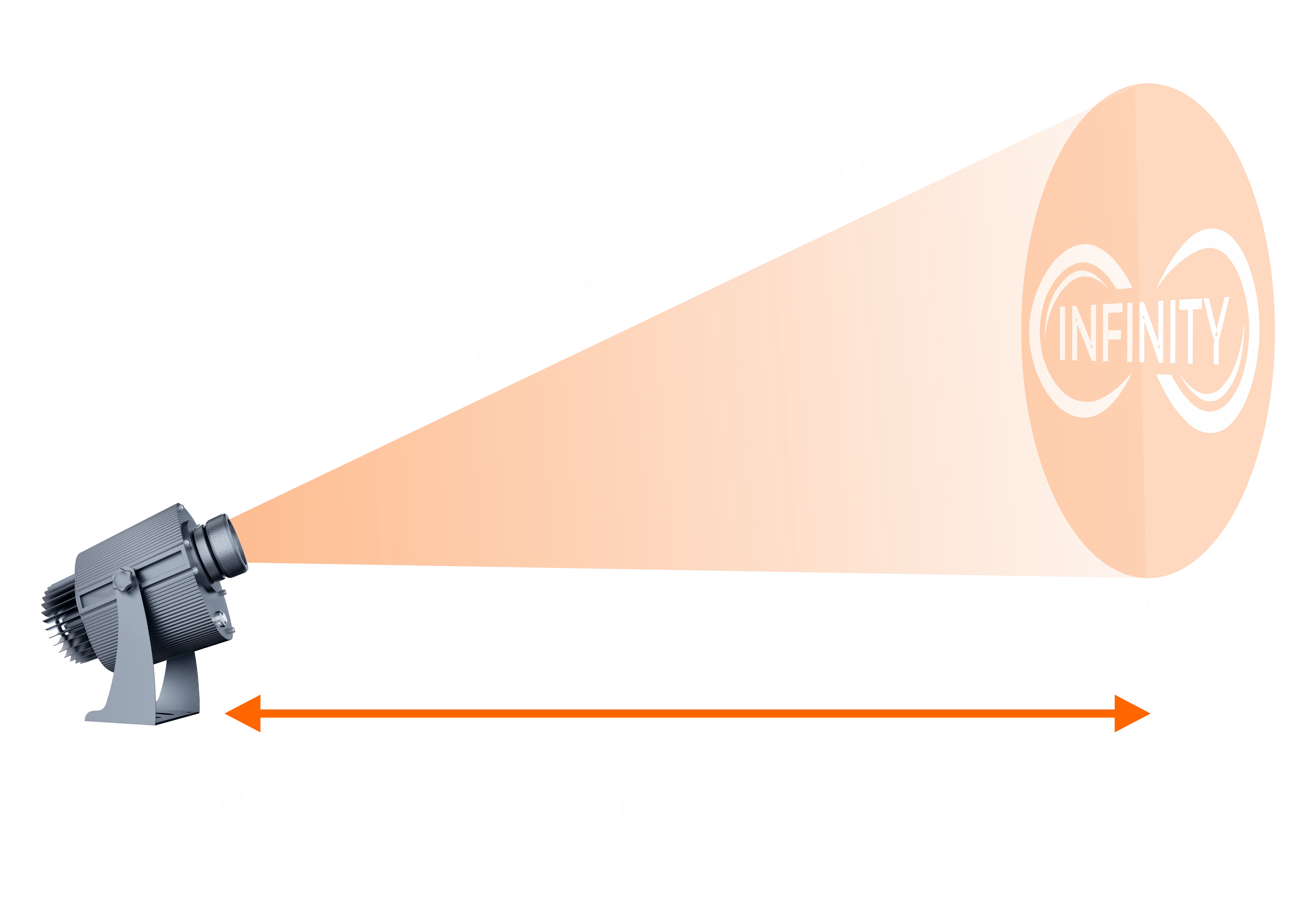
Think of your projector as a light engine + lens:
- Wattage decides how much light you have.
- The lens ratio decides how that light is distributed—tight and intense or wide and spread out.
Swapping lenses is the fastest way to adapt one projector to different setups:
- Different room sizes
- Different mounting distances
- From a crisp logo to a large decorative pattern
If you go wider (0.50, 0.65, 0.90…), you spread the same wattage over more area—so the image can look dimmer, especially in Average or Bright environments.
How Lens Ratios & Throw Distance Work
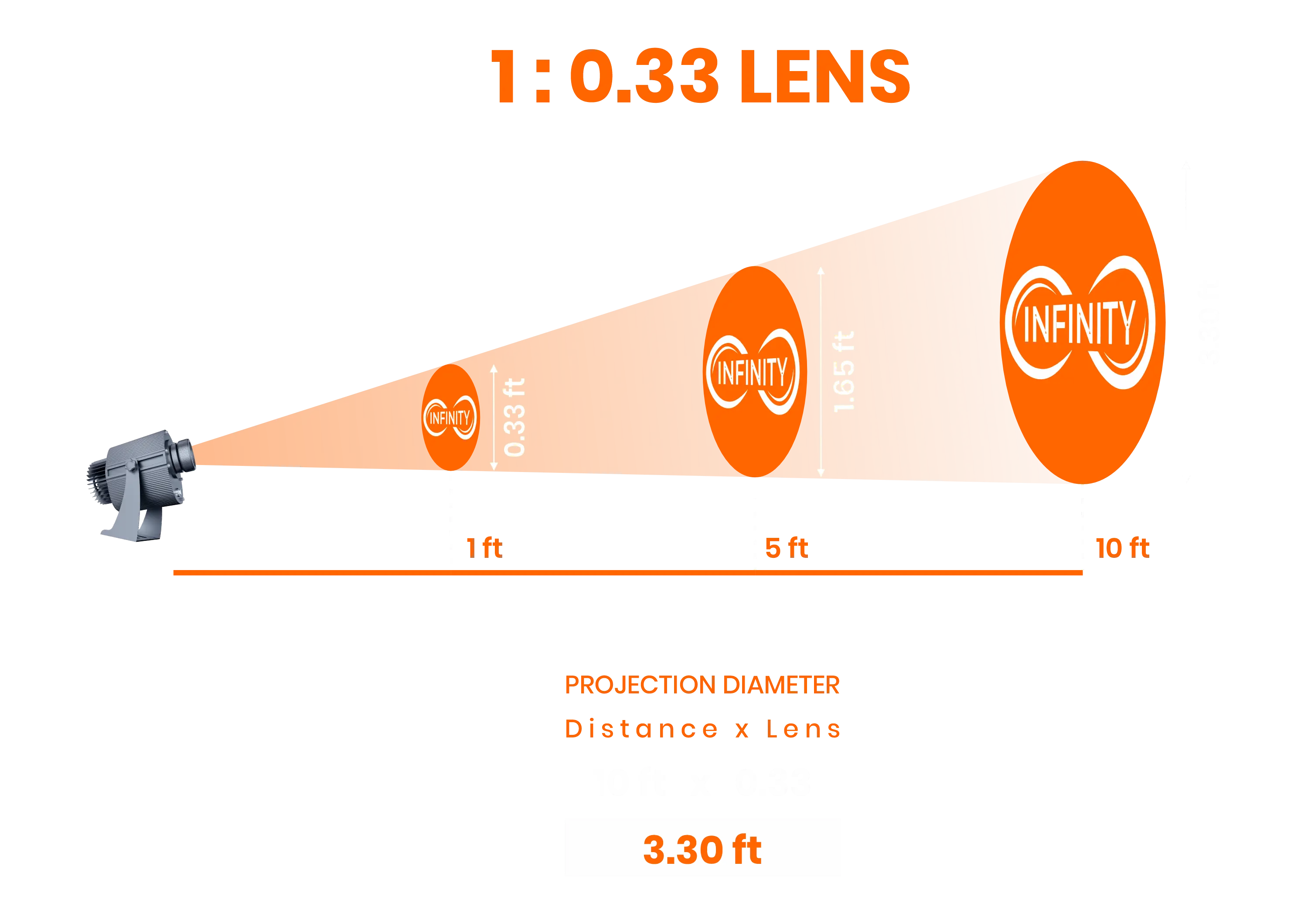
Each lens is labeled like 1:0.25, 1:0.33, 1:0.50, etc. Use this planning formula:
Projection diameter ≈ Distance × Lens ratio
Example: 1:0.33 (0.33)
- 10 ft (≈3 m) → ~3.3 ft (≈1.0 m)
- 20 ft (≈6 m) → ~6.6 ft (≈2.0 m)
How to choose direction
- Higher ratio → bigger projection at the same distance (needs more wattage to stay punchy).
- Lower ratio → smaller, tighter projection (holds brightness better at distance).
If you want slightly smaller than the lens’s maximum size, print your artwork smaller on the gobo instead of filling the whole gobo area.
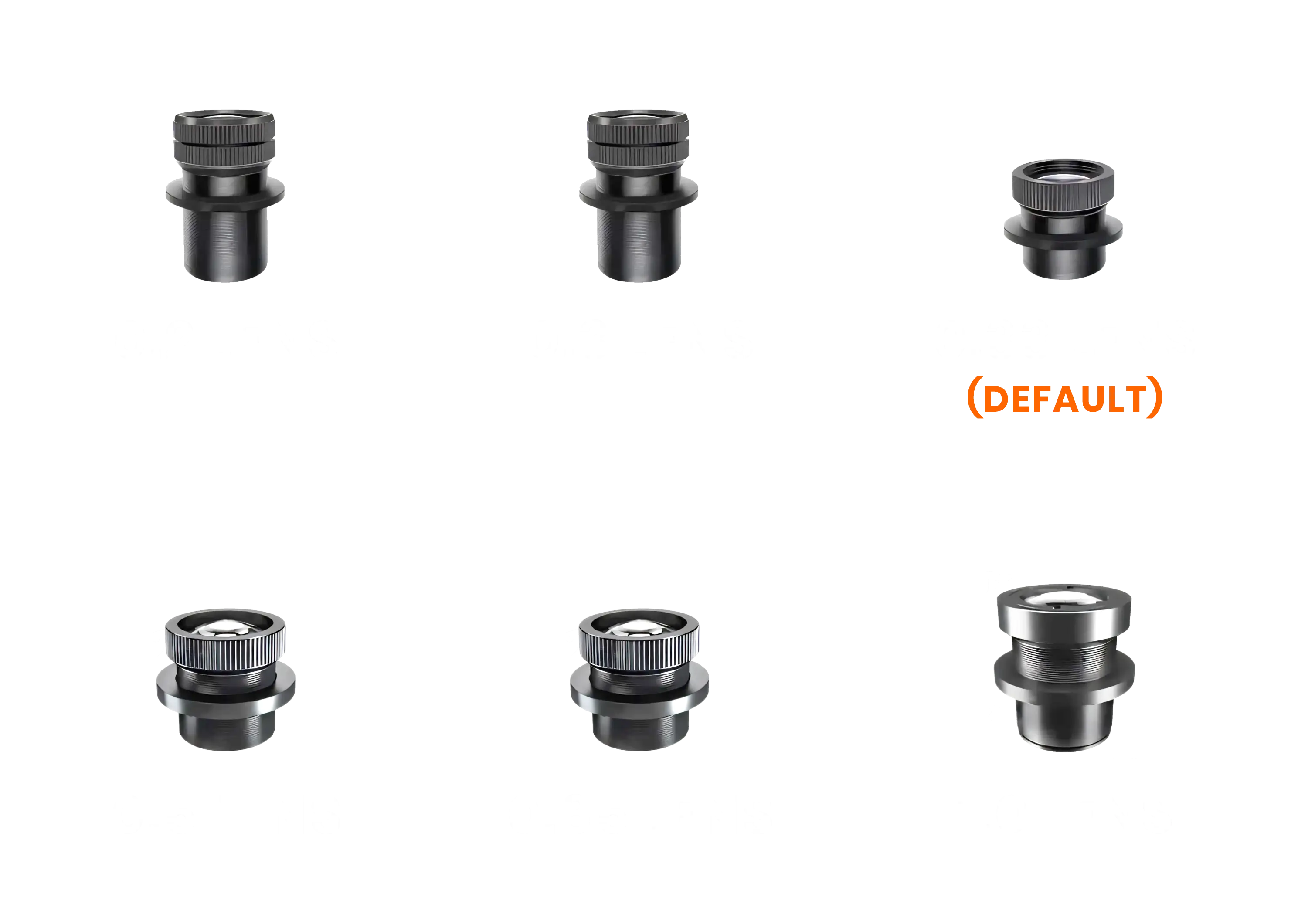
Tip:
If your venue is bright, stay closer to 0.33 or narrower unless you have extra wattage.
Quick Lens Overview
| Lens Ratio (1:x) | Short Name | General Behavior |
|---|---|---|
| 1:0.15 | 0.15 | Ultra narrow, very long-throw, very tight projection |
| 1:0.20 | 0.20 | Narrow long-throw, distant buildings and signs |
| 1:0.25 | 0.25 | Tight, bright beam – efficient use of high wattage |
| 1:0.30 | 0.30 | Slightly tighter than 0.33, focused logos |
| 1:0.33 | 0.33 | Standard medium beam – most universal |
| 1:0.45 | 0.45 | Medium-wide – larger projections on walls/floors |
| 1:0.50 | 0.50 | Wide – dance floors and larger spaces |
| 1:0.65 | 0.65 | Very wide – big wall/ceiling coverage |
| 1:0.90 | 0.90 | Super wide – scenic and ambient effects |
| 1:1.00 | 1.00 | Ultra wide – huge looks at short/medium throw |
| 1:1.30 | 1.30 | Extreme wide – short throw & dark environments |
| 1:1.40 | 1.40 | Maximum spread – specialty wide-field effects |
Standard Lens Details
Below are practical examples for each lens. Use the same formula every time:
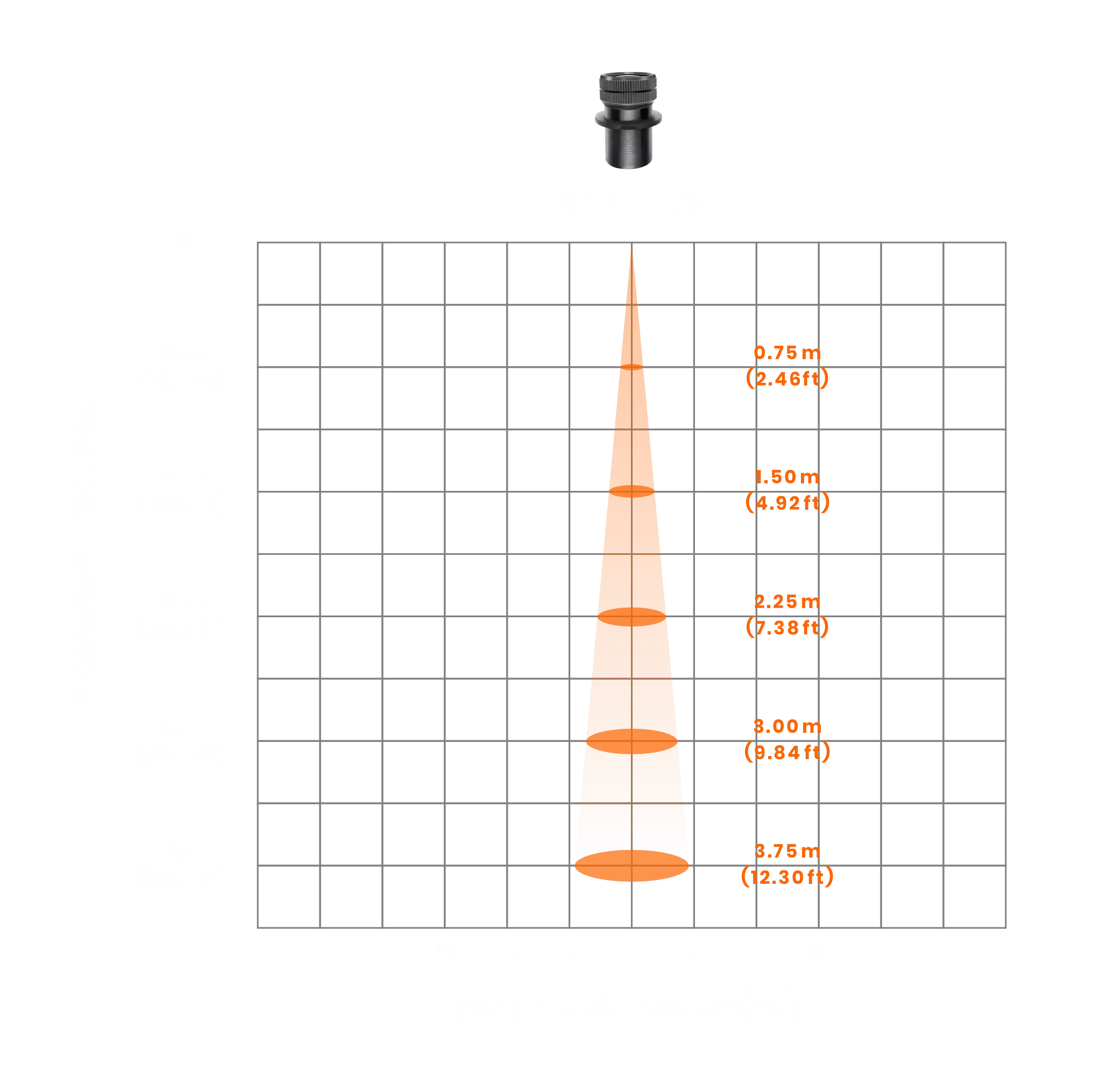
0.15 – Ultra Narrow Long-Throw
Best for: very long distances, architectural signage, tight beams in haze.
| Distance | Approx. Projection Diameter |
|---|---|
| 10 ft (≈ 3.0 m) | ~1.5 ft (≈ 0.5 m) |
| 20 ft (≈ 6.1 m) | ~3.0 ft (≈ 0.9 m) |
| 30 ft (≈ 9.1 m) | ~4.5 ft (≈ 1.4 m) |
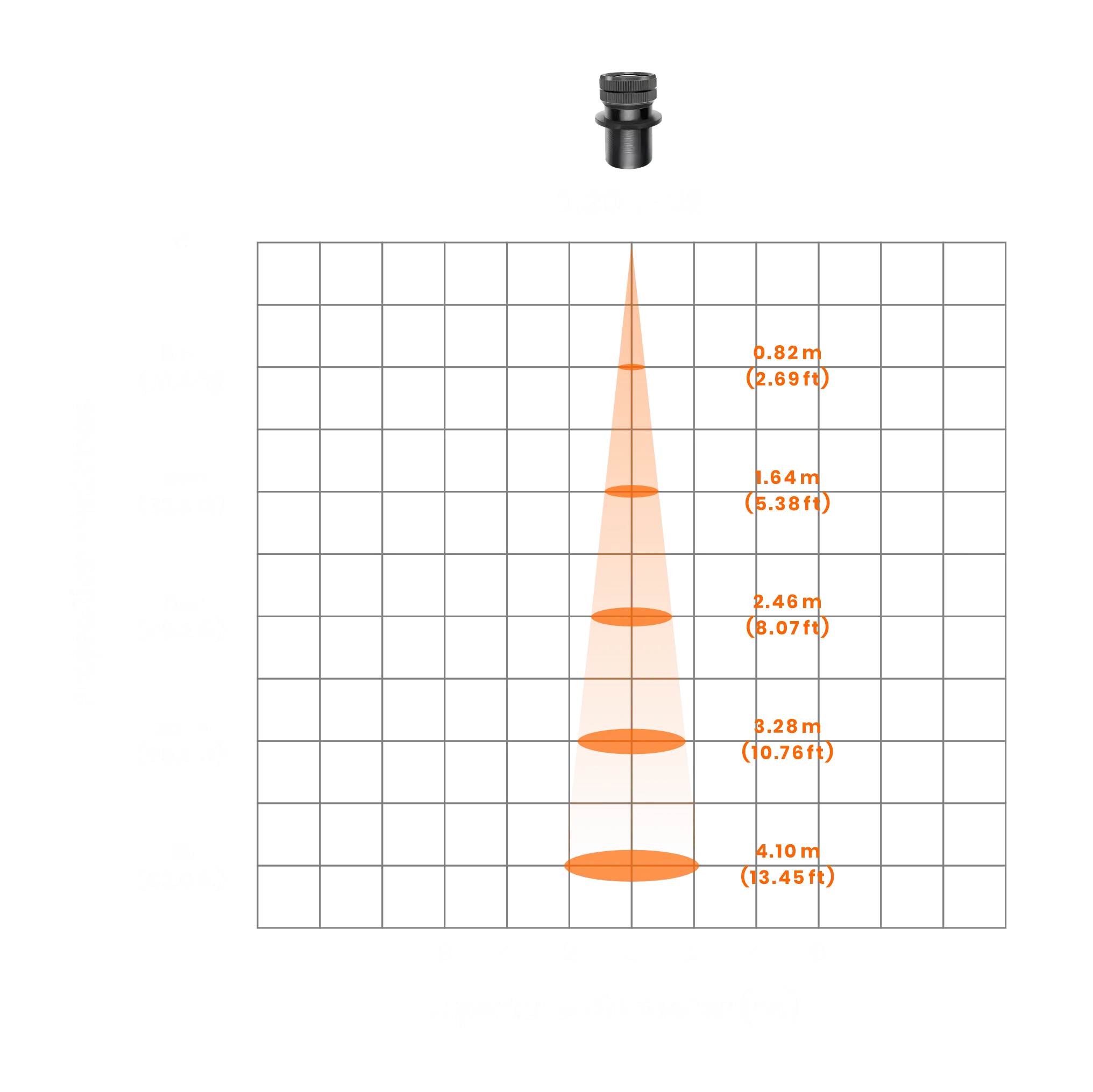
0.20 – Narrow Long-Throw
Best for: bright, controlled logos on buildings/signs from medium–long distance.
| Distance | Approx. Projection Diameter |
|---|---|
| 10 ft (≈ 3.0 m) | ~2.0 ft (≈ 0.6 m) |
| 20 ft (≈ 6.1 m) | ~4.0 ft (≈ 1.2 m) |
| 30 ft (≈ 9.1 m) | ~6.0 ft (≈ 1.8 m) |
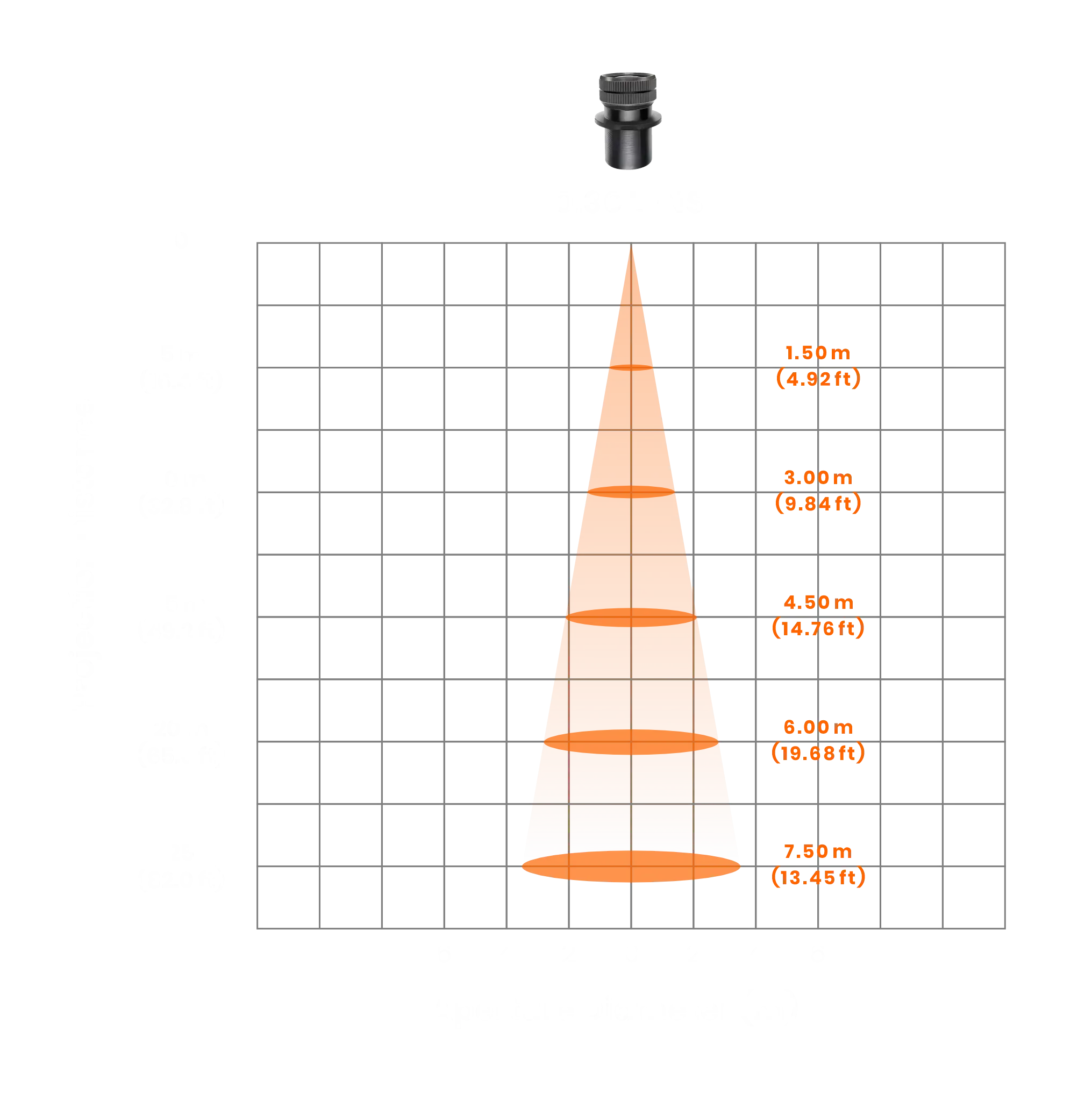
0.30 – Tight Beam
Best for: maximum punch, crisp readability at distance (especially with 150 W+ projectors).
| Distance | Approx. Projection Diameter |
|---|---|
| 10 ft (≈ 3.0 m) | ~3.0 ft (≈ 0.9 m) |
| 20 ft (≈ 6.1 m) | ~6.6 ft (≈ 2.0 m) |
| 30 ft (≈ 9.1 m) | ~9.0 ft (≈ 2.7 m) |
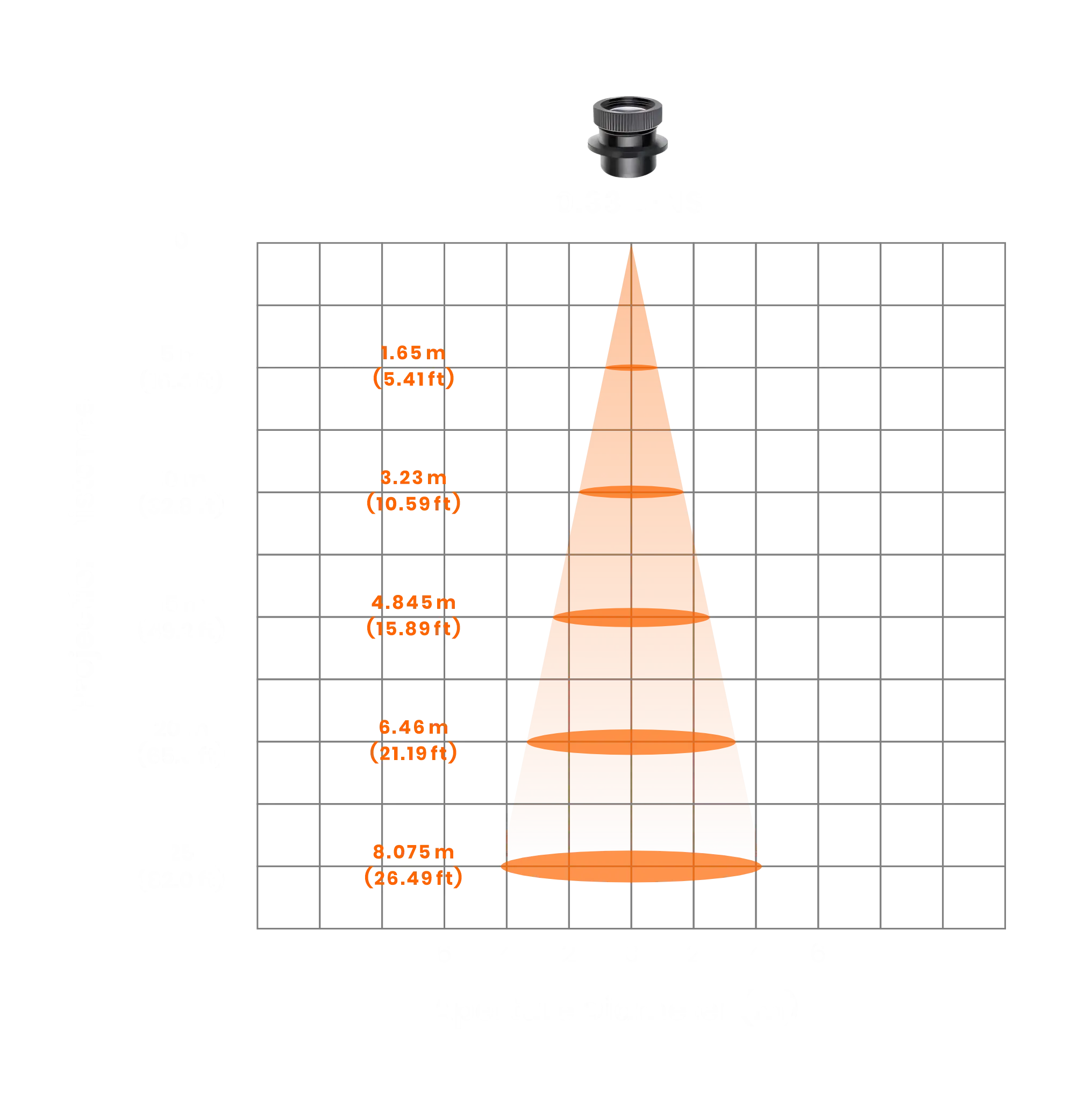
0.33 – Standard Medium Beam
Best for: a safe all-around choice across most indoor installs.
| Distance | Approx. Projection Diameter |
|---|---|
| 10 ft (≈ 3.0 m) | ~3.3 ft (≈ 1.0 m) |
| 20 ft (≈ 6.1 m) | ~6.6 ft (≈ 2.0 m) |
| 30 ft (≈ 9.1 m) | ~9.9 ft (≈ 3.0 m) |
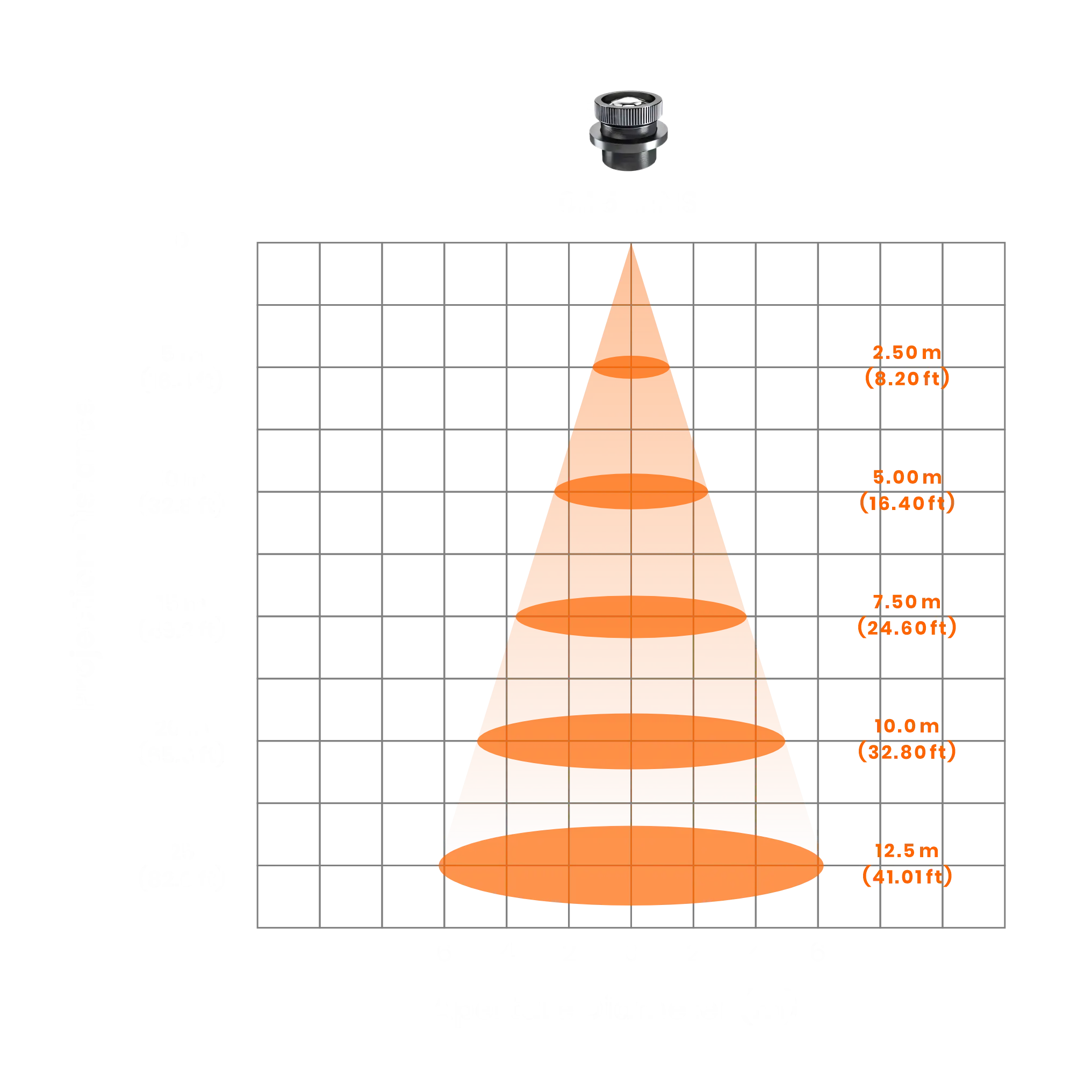
0.50 – Wide Beam
Best for: bigger indoor projections (dance floors / feature walls) with decent wattage.
| Distance | Approx. Projection Diameter |
|---|---|
| 10 ft (≈ 3.0 m) | ~5.0 ft (≈ 1.5 m) |
| 20 ft (≈ 6.1 m) | ~10.0 ft (≈ 3.0 m) |
| 30 ft (≈ 9.1 m) | ~15.0 ft (≈ 4.6 m) |
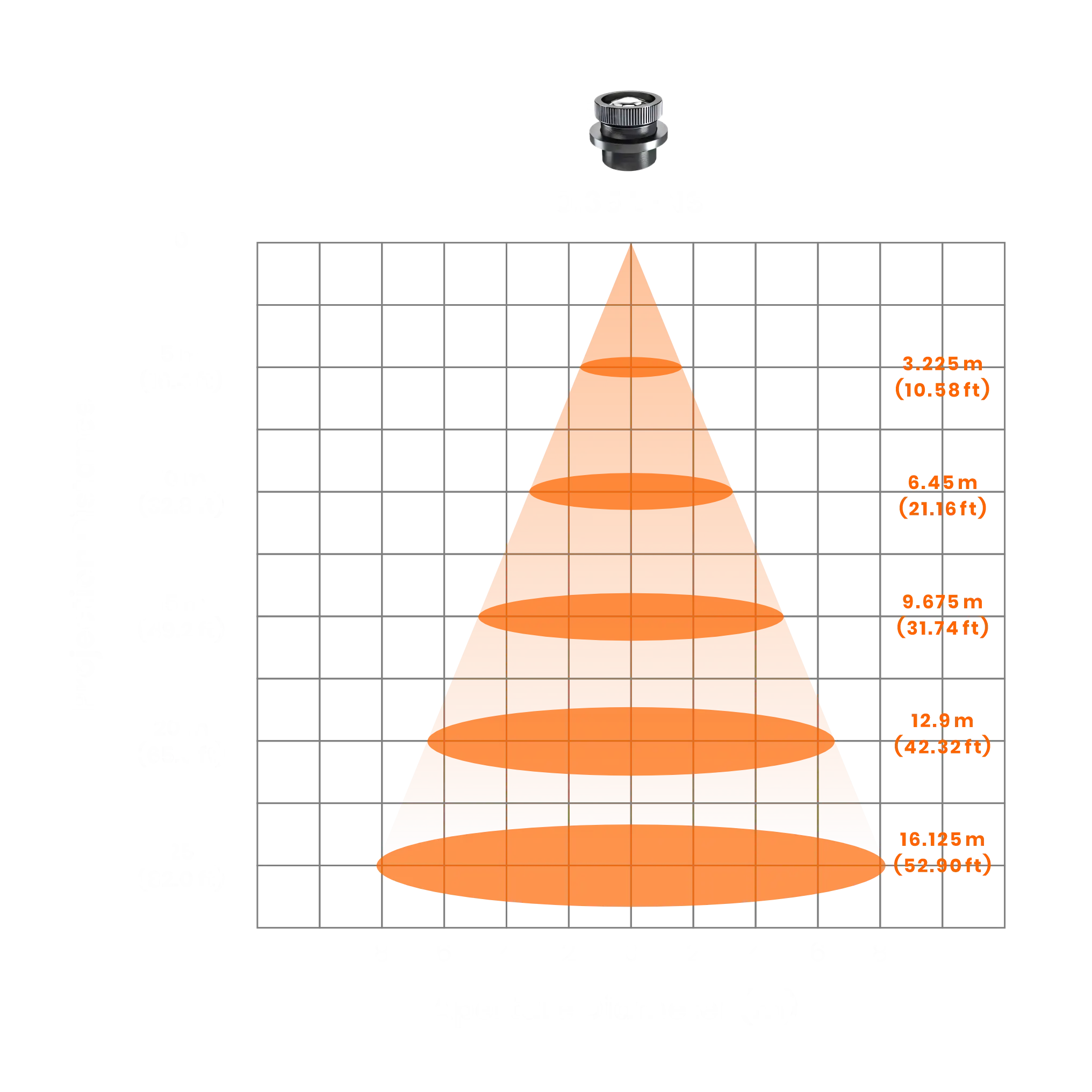
0.65 – Very Wide
Best for: large wall/ceiling coverage in dark to average light with higher wattage.
| Distance | Approx. Projection Diameter |
|---|---|
| 10 ft (≈ 3.0 m) | ~6.5 ft (≈ 2.0 m) |
| 20 ft (≈ 6.1 m) | ~13.0 ft (≈ 4.0 m) |
| 30 ft (≈ 9.1 m) | ~19.5 ft (≈ 6.0 m) |
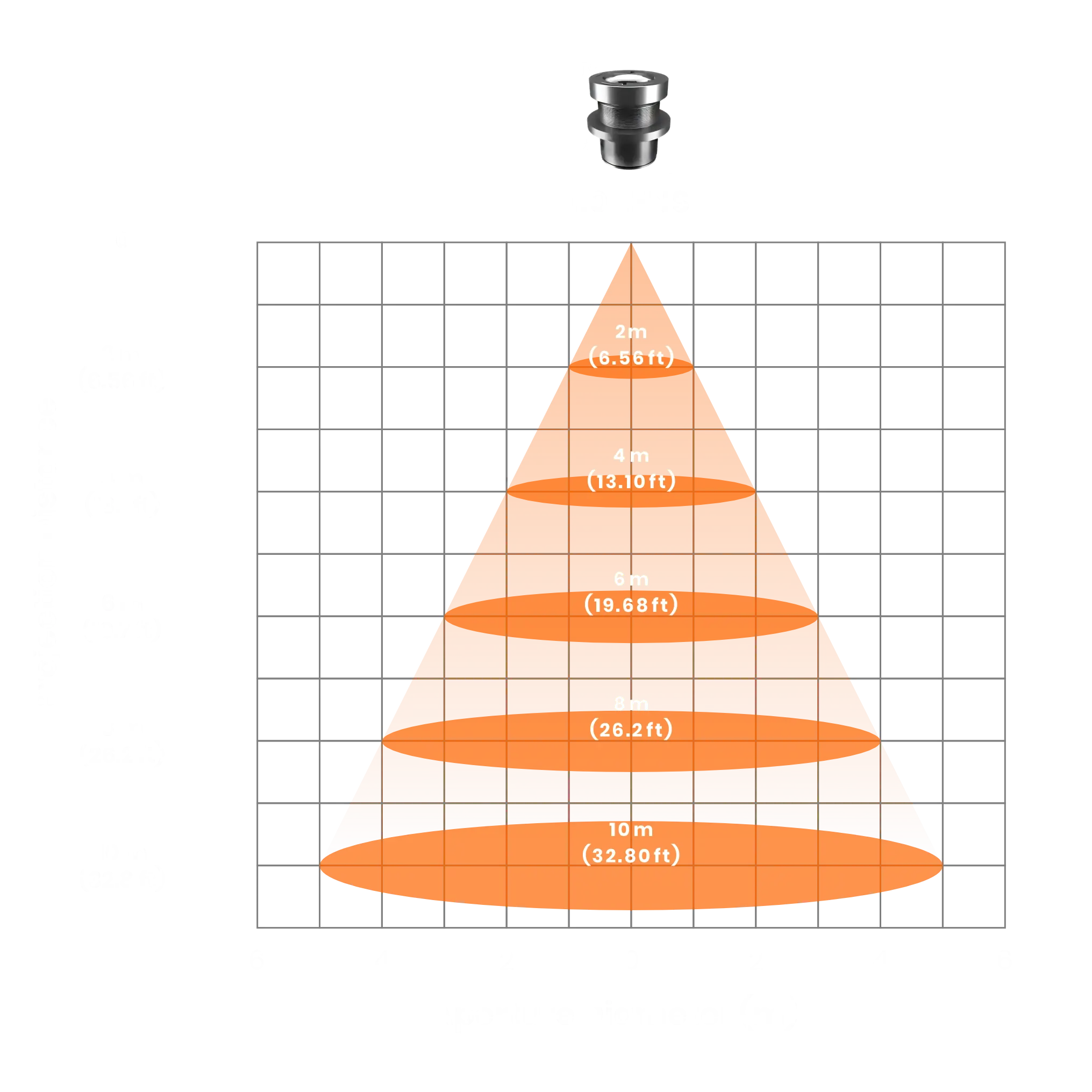
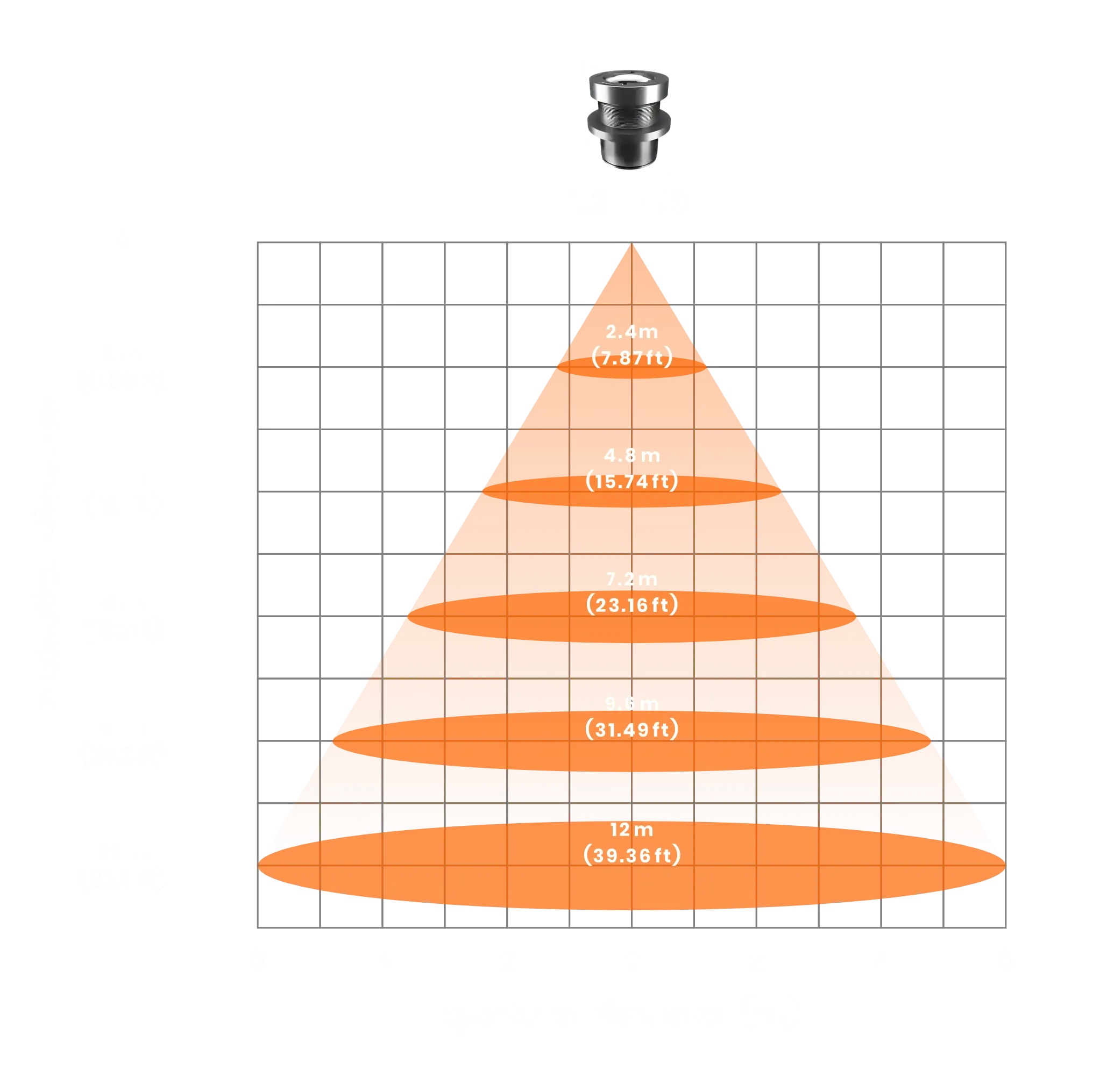
1.00 - Super Wide
These lenses create very large projections quickly, but they spread light aggressively. Use them mainly for decorative scenic effects in dark environments with strong wattage.
| Distance | Approx. Projection Diameter |
|---|---|
| 7 ft (≈ 2.0 m) | ~7 ft (≈ 2.0 m) |
| 13 ft (≈ 4.0 m) | ~13 ft (≈ 4.0 m) |
| 20 ft (≈ 6.0 m) | ~20 ft (≈ 6.0 m) |
1.20 - Specialty Wide
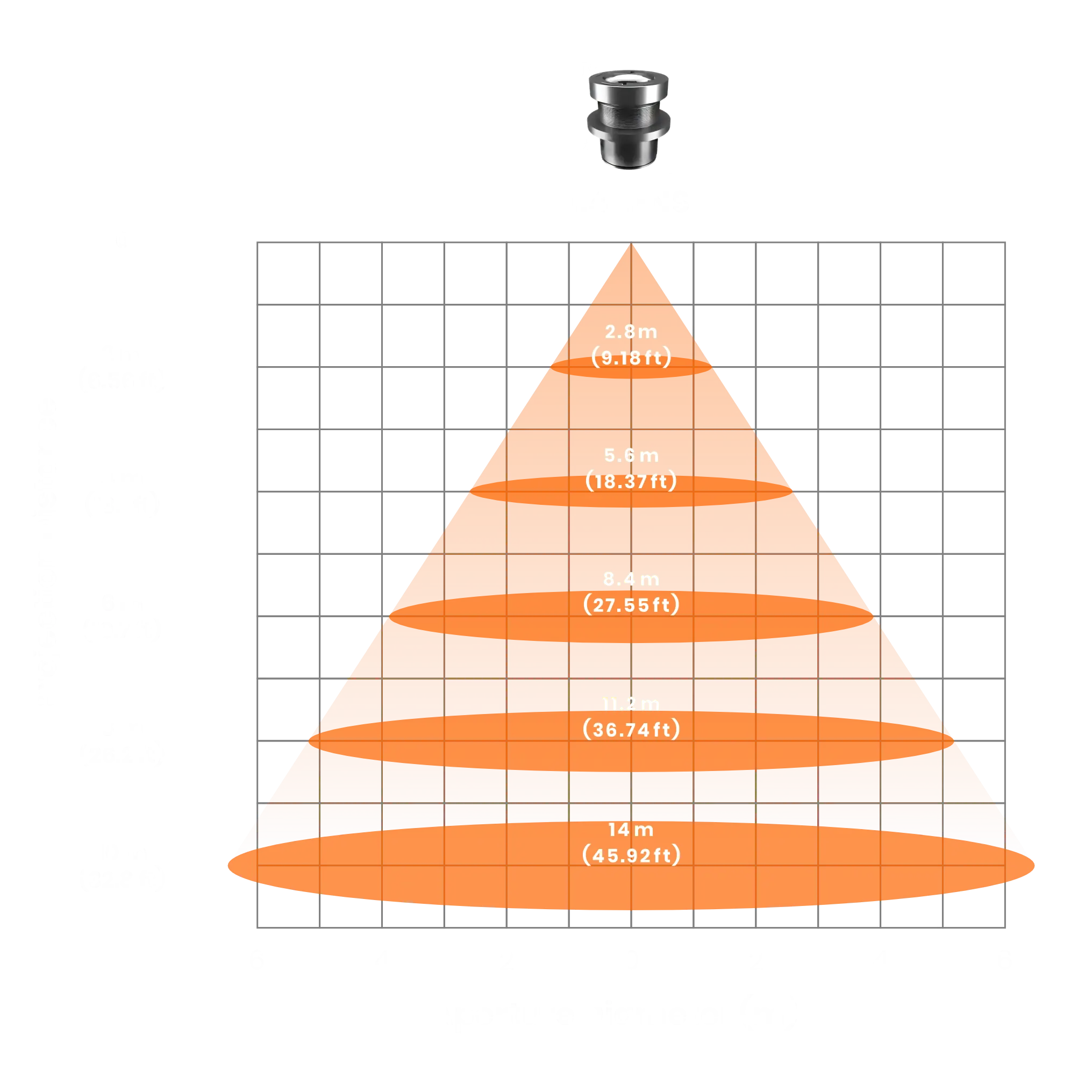
These lenses create very large projections quickly, but they spread light aggressively. Use them mainly for decorative scenic effects in dark environments with strong wattage.
| Distance | Approx. Projection Diameter |
|---|---|
| 7 ft (≈ 2.0 m) | ~8 ft (≈ 2.0 m) |
| 13 ft (≈ 4.0 m) | ~15 ft (≈ 4.0 m) |
| 20 ft (≈ 6.0 m) | ~24 ft (≈ 6.0 m) |
1.40 - Specialty Wide
These lenses create very large projections quickly, but they spread light aggressively. Use them mainly for decorative scenic effects in dark environments with strong wattage.
| Distance | Approx. Projection Diameter |
|---|---|
| 7 ft (≈ 2.0 m) | ~9 ft (≈ 2.8 m) |
| 13 ft (≈ 4.0 m) | ~18 ft (≈ 5.6 m) |
| 20 ft (≈ 6.0 m) | ~27 ft (≈ 8.4 m) |
Why Order Extra Lenses?
If you move between venues, extra lenses turn one unit into a multi-purpose toolkit:
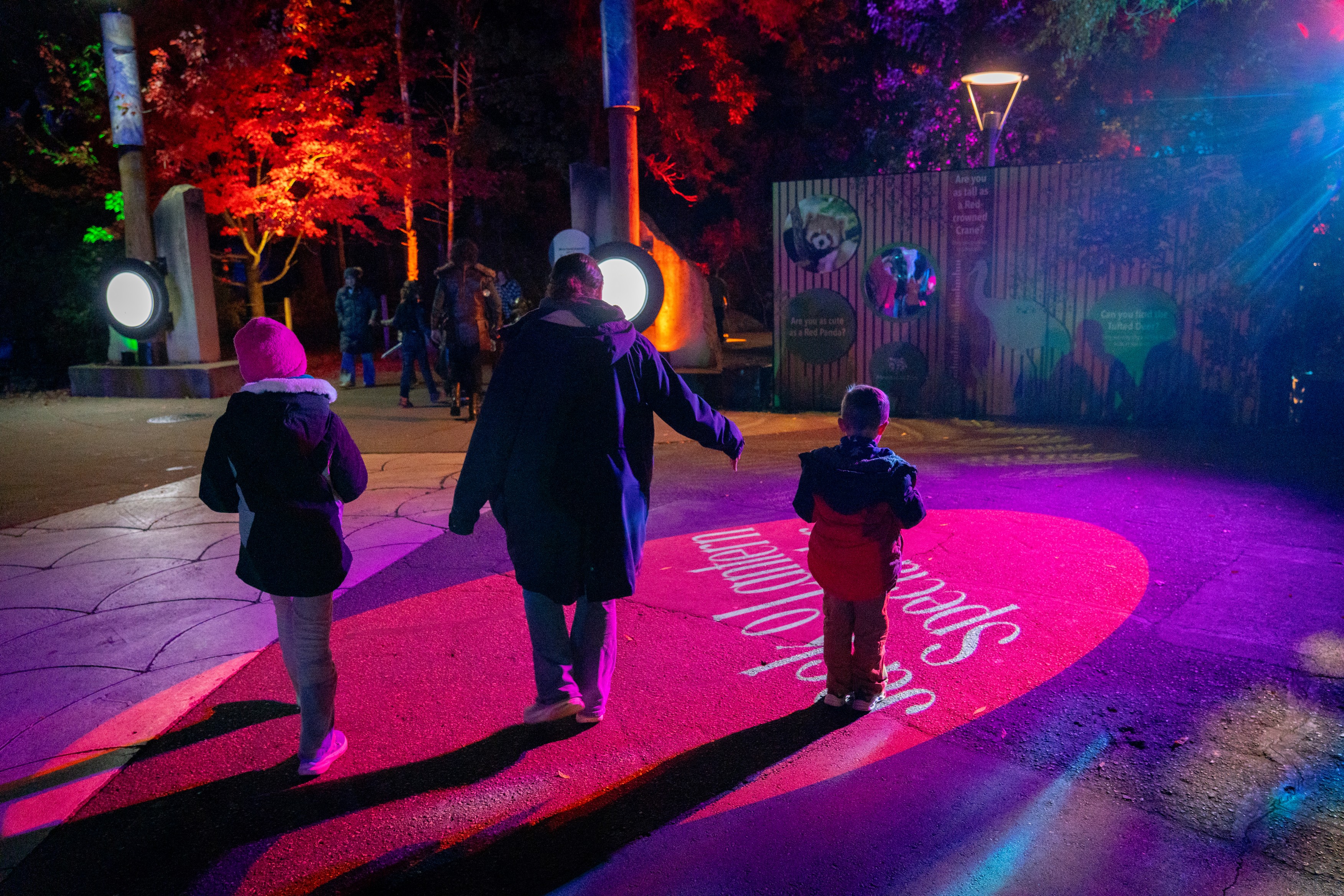
- Wide lens for close-range, bigger fills.
- Standard lens for everyday indoor installs.
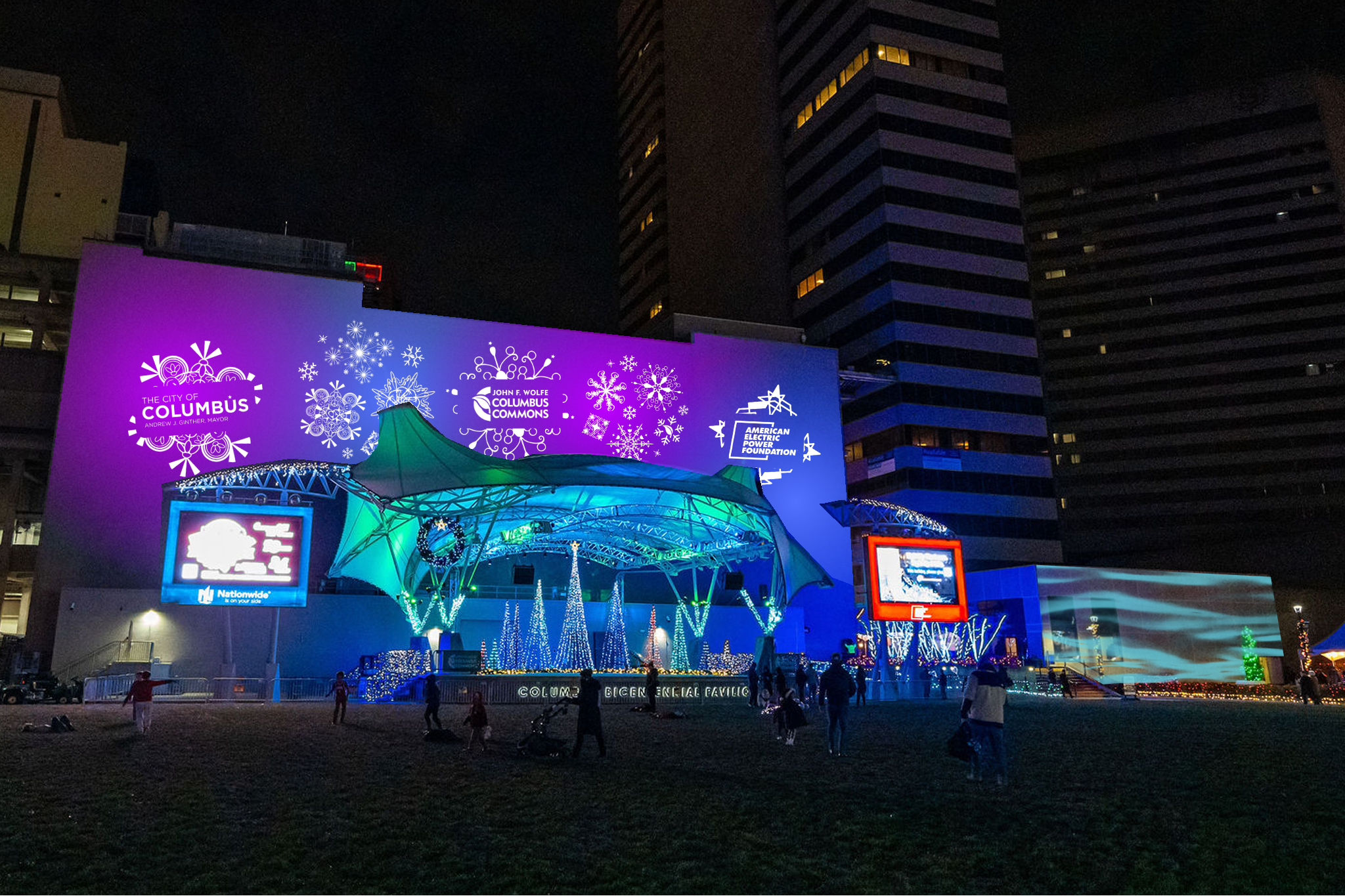
- Tight lens for long-throw logos and outdoor facades.
Simple 2-lens indoor example (120 W)
- Small room: 12 ft throw → choose 0.50 for ~6 ft diameter (12 × 0.50).
- Larger room: 20 ft throw → choose 0.33 for ~6.6 ft diameter (20 × 0.33).
LENS PACKAGE ∞
What lens packages does Infinity Projectors offer?
We’re rolling out discounted lens packages so you can build a flexible kit at a better value than buying lenses one by one.
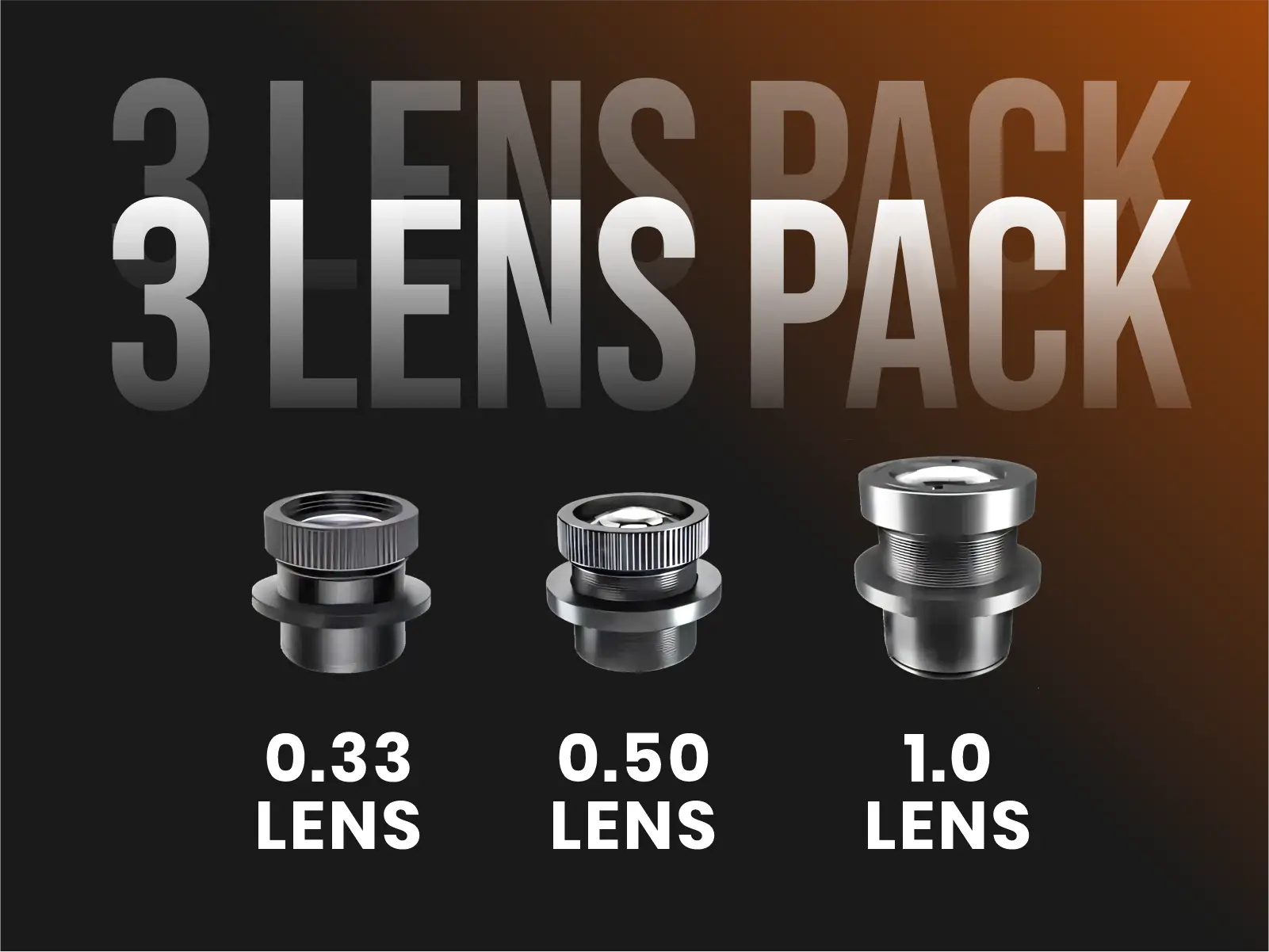
3-Lens Pack: $208.88
-
Suggested 3-lens starter pack:
- Effect: Splits one gobo into 3 separate projection arranged like a triangle/fan.
- Planning ratios (approx.):
- 1:0.33 (0.33) – standard medium beam (most popular default)
- 1:0.50 (0.50) – wide for larger walls and floors
- 1:1.00 (1.0) – ultra wide for very large projections at short–medium distances
- Note: The larger the lens ratio / coverage, the more power you may need to keep the projection bright—especially in Average or Bright Light Settings.
- Want to include special effects?
You can mix in our Infinity TriScope or PentaScope 3D Prism lenses inside a pack for a small $25 upcharge per 3D lens.
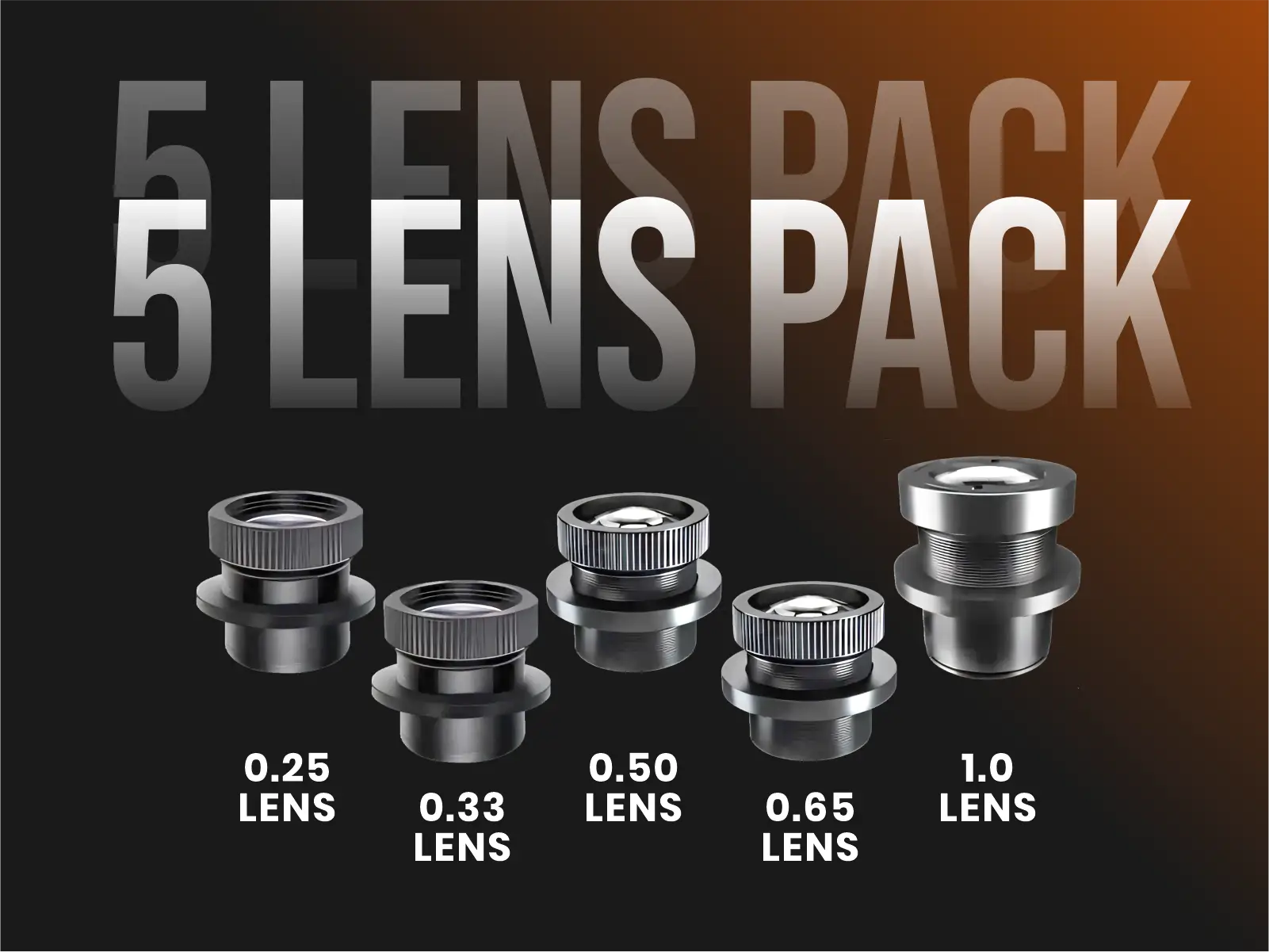
5-Lens Pack: $358.88
-
Suggested 5-lens starter pack:
- Effect: Splits one gobo into 3 separate projection arranged like a triangle/fan.
- Planning ratios (approx.):
- 1:0.25 (0.25) – Narrow Long-Throw for medium-long distance
- 1:0.33 (0.33) – standard medium beam (most popular default)
- 1:0.50 (0.50) – wide for larger walls and floors
- 1:0.65 (0.65) – super wide for larger wall/ceiling with short distance
- 1:1.00 (1.0) – ultra wide for very large projections at short–medium distances
- Note: The larger the lens ratio / coverage, the more power you may need to keep the projection bright—especially in Average or Bright Light Settings.
- Want to include special effects?
You can mix in our Infinity TriScope or PentaScope 3D Prism lenses inside a pack for a small $25 upcharge per 3D lens.
INFINITY PRISM LENS OPTIONS ∞
Infinity 3D Prism Lenses
Prism lenses split one gobo into multiple projections for a more dynamic and multi-point effect.
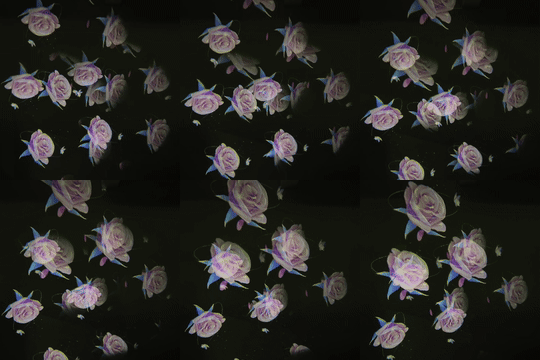
TriScope ∞ 3-Image Prism Lens
- Effect: Splits one gobo into 3 separate projection arranged like a triangle/fan.
- Planning ratios (approx.):
- 35–100 W → ~0.50
- 150–700 W → ~0.60
- Note: Light is split into 3 beams, so each copy is dimmer than a single-beam lens.
Ideal artwork
Best results come from simple, high-contrast graphics with minimal or no text (stars, snowflakes, icons, geometric patterns). Dense text becomes harder to read when multiplied.
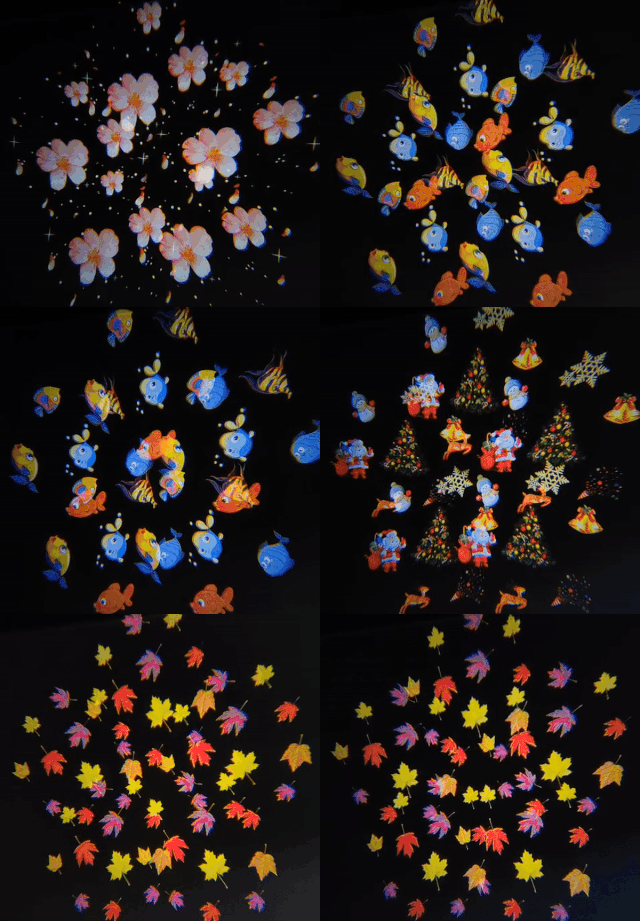
PentaScope – 5-Image Prism Lens
- Effect: Splits one gobo into 5 copies in a star-like cluster.
- Planning ratio (approx.): ~0.65
- 35–100 W → ~0.65
- 150–700 W → ~0.65
- Very important: light is split into 5 beams—works best with higher wattage in Dark to low-Average settings.
Ideal artwork
Best results come from simple, high-contrast graphics with minimal or no text (stars, snowflakes, icons, geometric patterns). Dense text becomes harder to read when multiplied.
FAQ – Lenses & Lens Packages
How hard is it to change the lens on an Infinity Projectors unit?
A: It’s designed to be straightforward. On most Infinity Projectors:
- You loosen or twist off the front lens housing or retaining ring.
- Gently remove the current lens.
- Insert the new lens in the same orientation.
- Tighten the ring or housing back into place.
There’s no rewiring and no deep disassembly. If you’re comfortable changing a light bulb or a camera lens, you can change an Infinity lens.
Do you recommend that I buy extra lenses?
A: For many customers—especially professionals who move the projector between different rooms or venues—the answer is yes.
Extra lenses let one projector act like a flexible toolkit:
- Tight lens (e.g. 0.25) for longer distances and brighter looks
- Medium lens (0.33) for everyday indoor events
- Wide lens (0.50 or 1.1) for larger projections in darker rooms
If you work in different venues, at different distances, or want both tight logos and large decorative projections, extra lenses are one of the best upgrades you can make.
What lens packages does Infinity Projectors offer?
We’re rolling out discounted lens packages so you can build a flexible kit at a better value than buying lenses one by one.
- 3-Lens Pack: $208.88
- 5-Lens Pack: $358.88
If a pack includes a 3D Prism Lens (TriScope or PentaScope), add a small +$25 upcharge per 3D lens to account for its more complex optics.
To get bundle pricing, contact us and we’ll assemble the discounted pack for your exact needs.