The projector stays dark until something is actually coming.
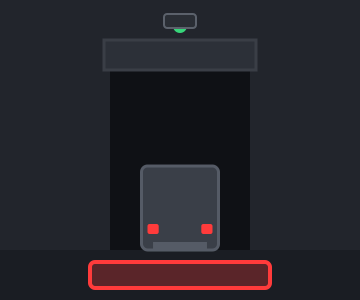
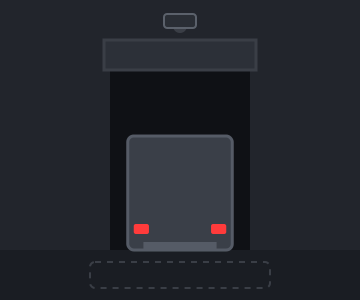
Mount it above a dock door, at the end of a forklift aisle or over a gate, and the projector connected to it stays off until a truck, a forklift or a person moves toward it. Then the warning appears on the floor exactly when it is needed.
One sensor covers one direction of approach in one zone. Order one per dock door, aisle entrance or gate. Prefer to bundle it with a projector? It is also an add-on on every Industrial projector page.
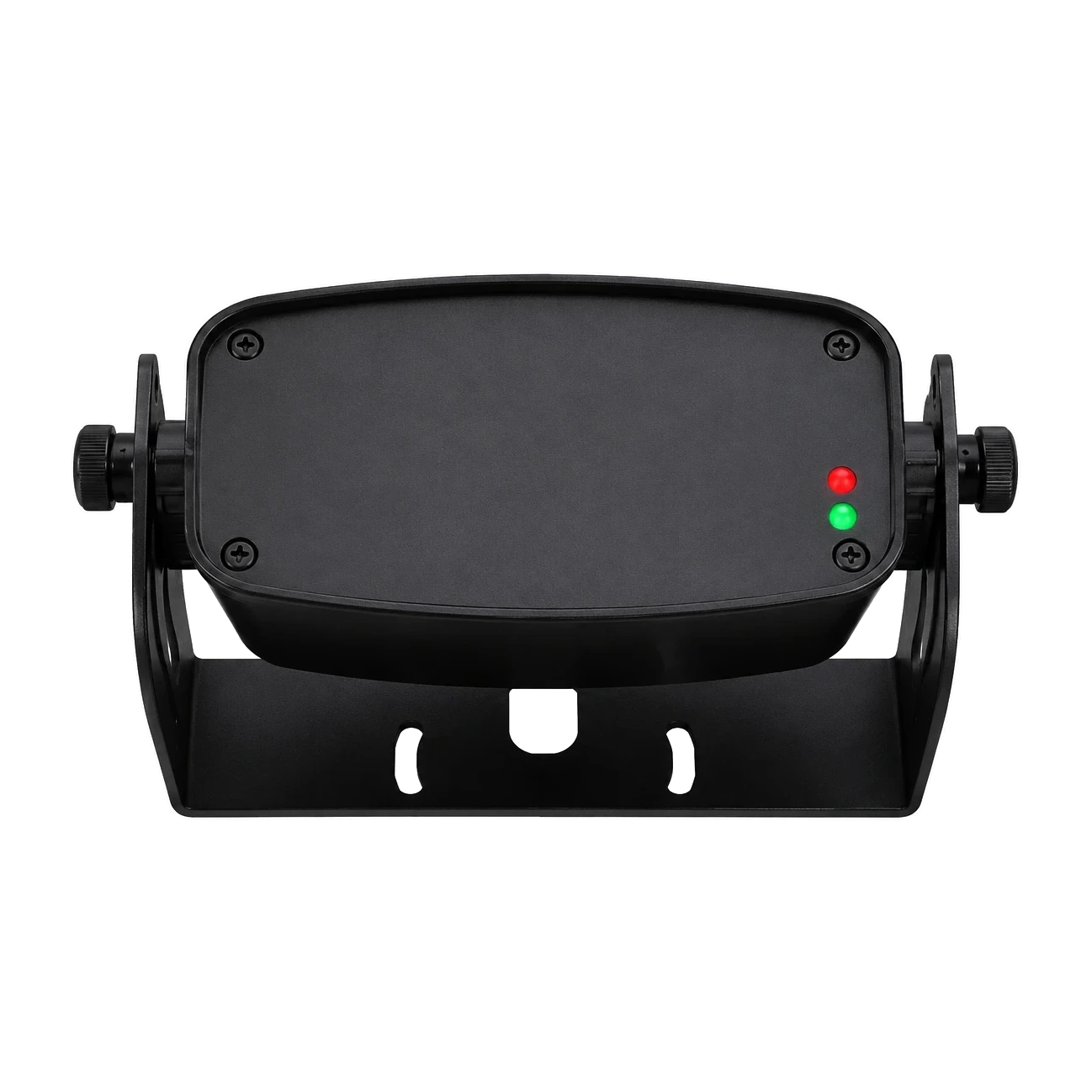
Think of the Radar Sensor as a motion switch for a safety projector, with one extra trick: it can tell whether the thing moving toward it is a vehicle or a person. It bolts to a wall or a beam, faces one direction of approach, and watches. While that lane is empty, the projector wired to it stays off. The moment something starts moving toward the sensor, a switch inside it closes and the projector turns on. When the movement stops, the switch opens about half a second later and the projector goes dark again.
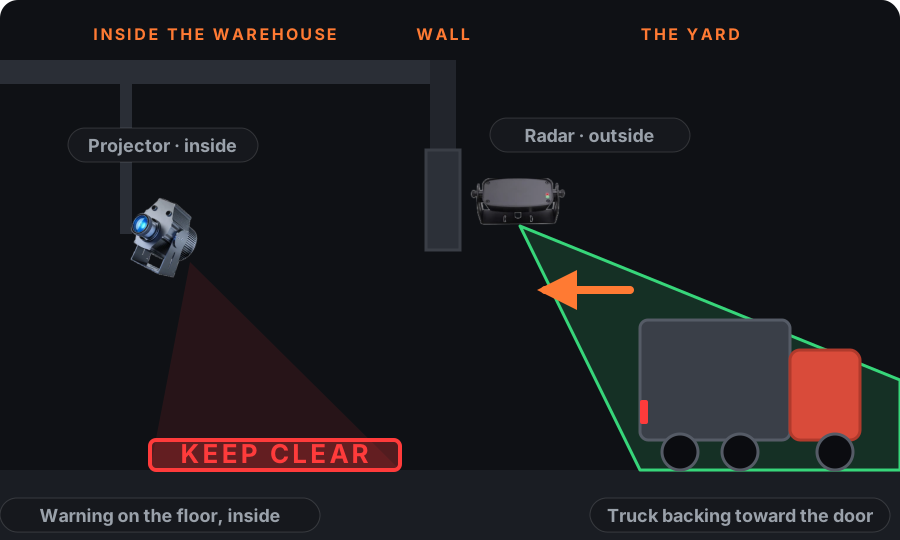
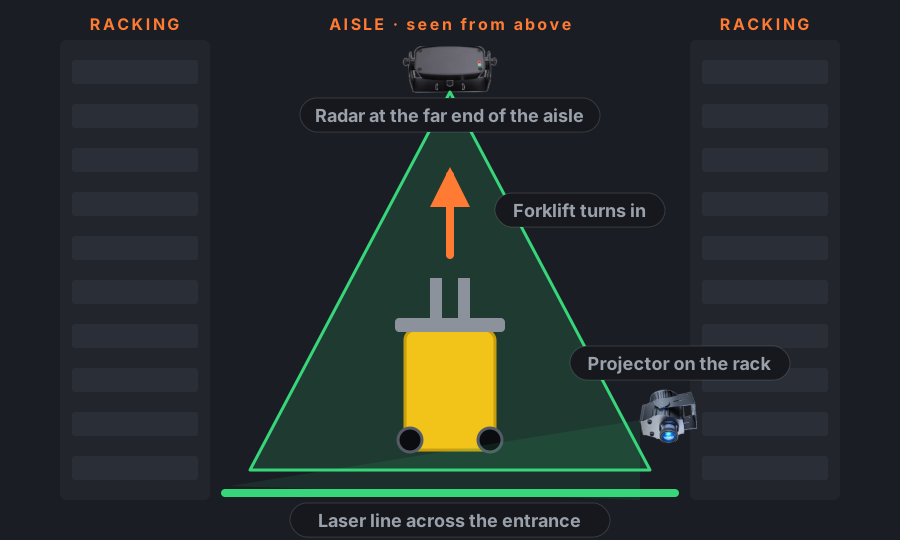
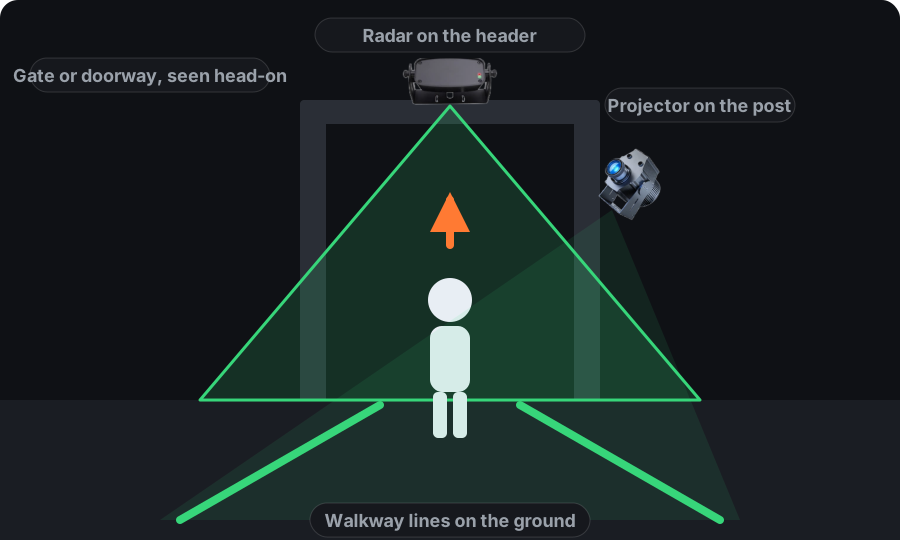
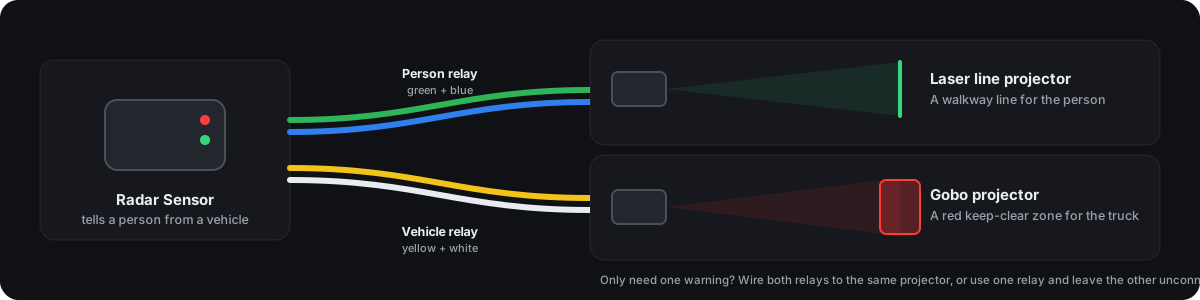
The switch is a relay, and there are two of them. One closes for a vehicle, the other for a person. Each relay drives its own projector, which is what makes a single sensor useful on a busy opening: a truck backing in can switch on a red keep-clear zone across the door, while a person walking through the same opening switches on a walkway line beside it. If you only need one warning, wire one relay and ignore the other.
Radar sees movement, not pictures. It works in the dark, through dust, fog and smoke, and it records nothing, so there is no footage to store and no privacy question to answer. It also understands direction: a truck driving past the front of the door, sideways to the sensor, does not trigger it. Only something coming toward it does. One sensor covers one direction of travel; a door used both ways gets two.
A typical day at a dock door looks like this. The bay is empty and the floor is dark. A trailer swings into the yard and starts reversing toward the door at walking pace. As soon as it is moving toward the sensor, even at 5 cm per second, the vehicle relay closes and the laser line or gobo zone inside lights up so the crew on the floor knows a truck is coming in. The trailer docks and stops; half a second later the relay opens and the projection switches off. If you would rather the warning stayed on while the truck sits at the door, a small timer relay on the output holds it, and we spec that with the order.
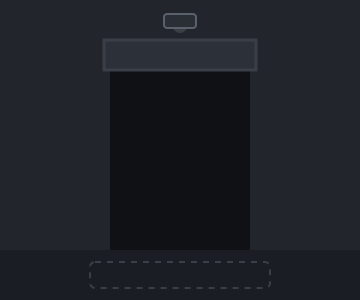
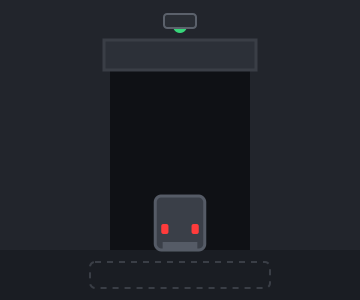
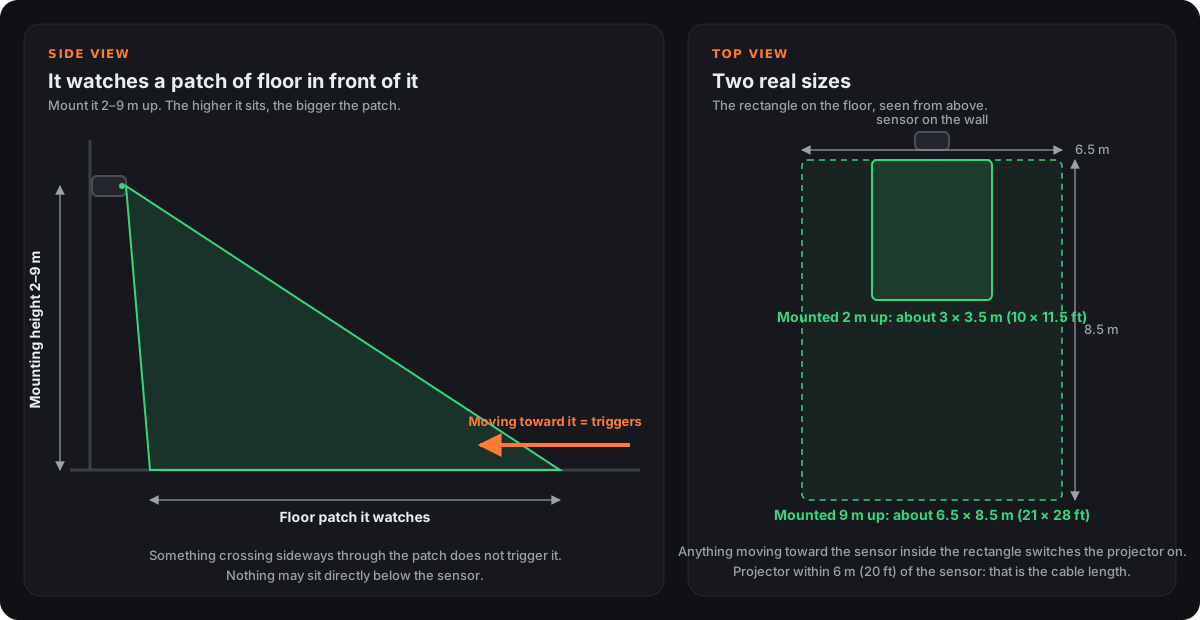
The radar does not have a range the way a flashlight has a beam. It watches a rectangle of floor in front of it, and the size of that rectangle depends on how high you mount it. Mounted 2 m (6.5 ft) up, the rectangle is about 3 m wide and 3.5 m deep (10 × 11.5 ft). Mounted 9 m (29.5 ft) up, it grows to about 6.5 m wide and 8.5 m deep (21 × 28 ft). Anything in between scales with the height.
Anything moving toward the sensor inside that rectangle switches the projector on. Something crossing the rectangle sideways does not. So you mount it facing the direction the truck or person will come from, high enough that the rectangle covers the spot where they start moving toward the door or aisle.
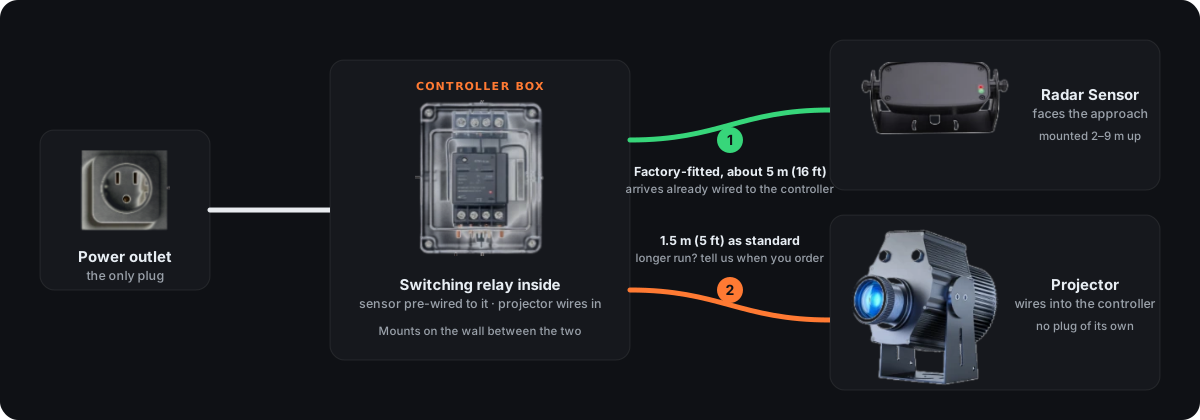
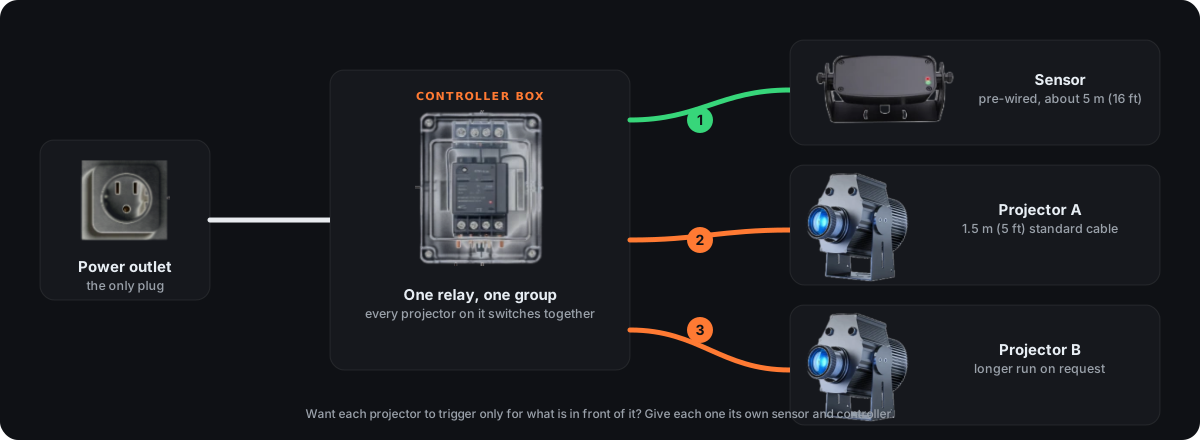
The sensor does not wire to the projector directly. It comes on a factory-fitted cable, 5 m (16 ft), that runs to a small controller box, and the projector wires into that box on its own cable, 1.5 m (5 ft) as standard or longer if you tell us when you order. Only the controller plugs into an outlet. In practice the sensor goes above the door or at the end of the aisle, the controller mounts on the wall near the projector, and the projector aims at the floor where the warning should land.
Three parts and one plug. The sensor arrives pre-wired to a small controller box, the projector wires into the controller, and the controller is the only thing that goes in an outlet.
Wire extra projectors into the same controller and they switch together: one sensor, one zone, several lights. Right for a wide dock door or a long line that takes two projectors.
The radar has two relays: one closes for a person, the other for a vehicle. Put a different projector on each and the same opening shows a walkway line to people and a red zone to trucks.
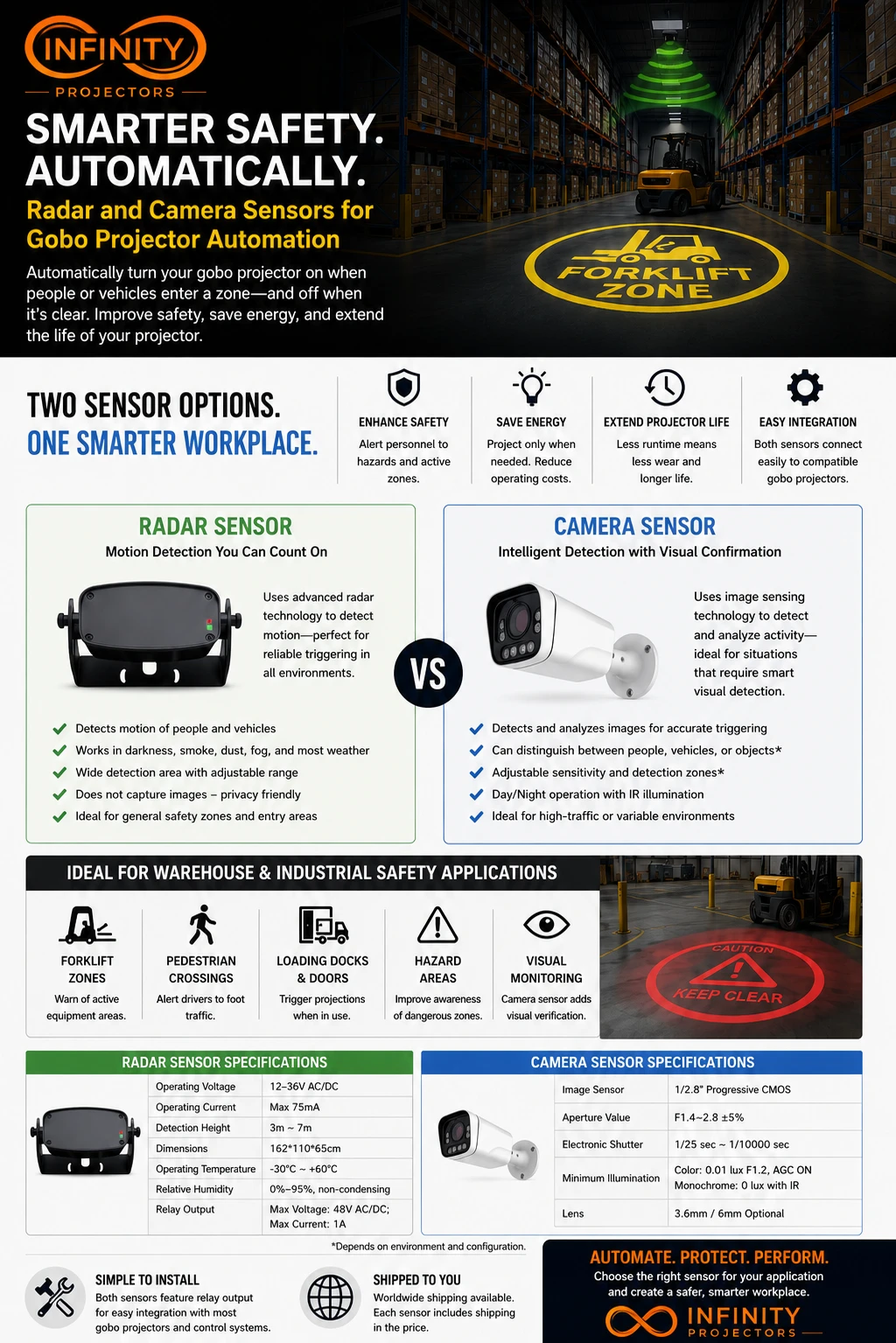
Both close a relay that switches the projector on. They differ in what they see and where they belong.
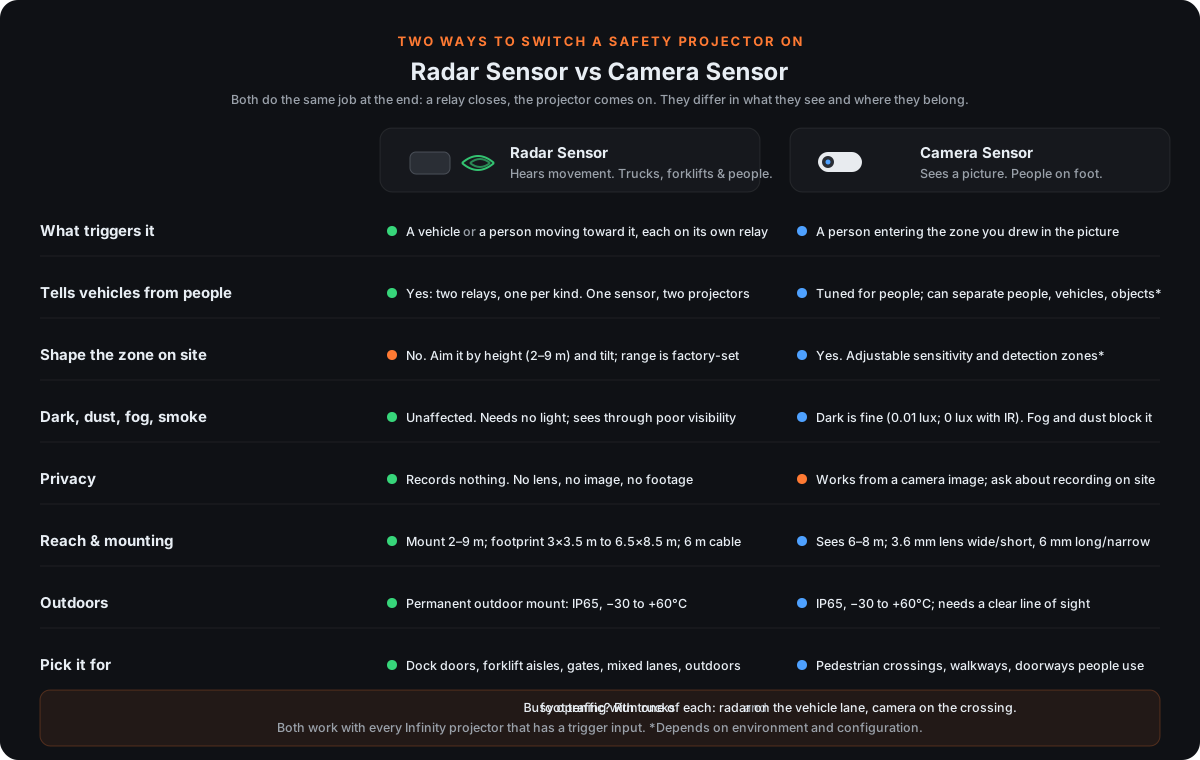
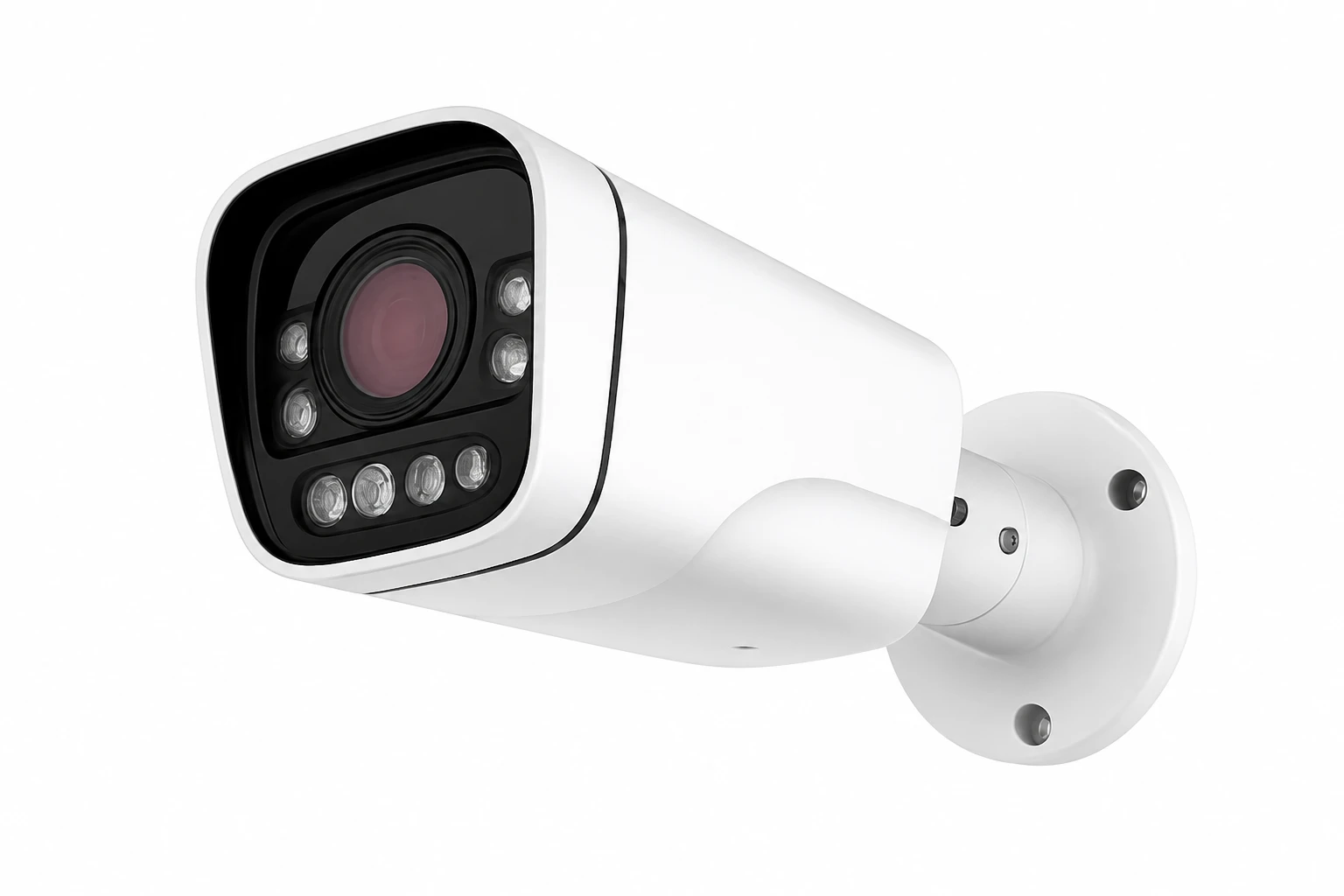
A busy opening with trucks and foot traffic often runs one of each: radar on the vehicle lane, camera on the crossing. *Depends on environment and configuration.
The sensor is the switch; one of these is the light. Every one of them accepts the trigger, and each product page offers this sensor as an add-on.
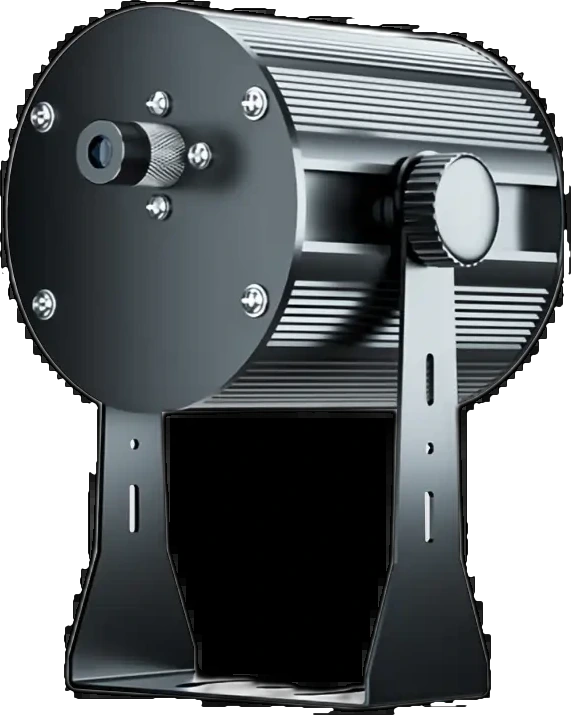 Laser Safety Line Projector
A crisp laser line across a dock bay or down an aisle, switched on by the sensor.
See the projector →
Laser Safety Line Projector
A crisp laser line across a dock bay or down an aisle, switched on by the sensor.
See the projector →
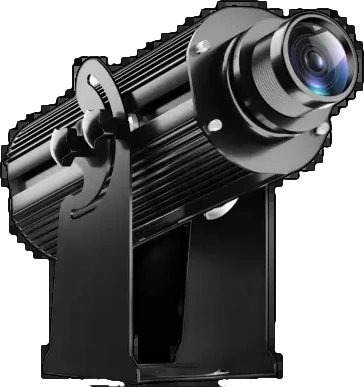 Infinity Titan Outdoor High Wattage Gobo Projector (150W–700W)
A high-wattage gobo projector for a large warning zone or sign, indoors or out.
See the projector →
Infinity Titan Outdoor High Wattage Gobo Projector (150W–700W)
A high-wattage gobo projector for a large warning zone or sign, indoors or out.
See the projector →
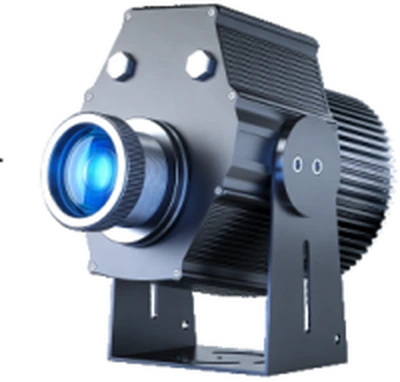 Infinity LY-Pro Compact High-Wattage Outdoor Gobo Projector (135W-200W)
A compact gobo projector for a keep-clear zone, stop sign or crossing pattern on the floor.
See the projector →
Infinity LY-Pro Compact High-Wattage Outdoor Gobo Projector (135W-200W)
A compact gobo projector for a keep-clear zone, stop sign or crossing pattern on the floor.
See the projector →
The number on the left is the spec. The column on the right is what it means for your install.
| Detail | Spec | What it means for you |
|---|---|---|
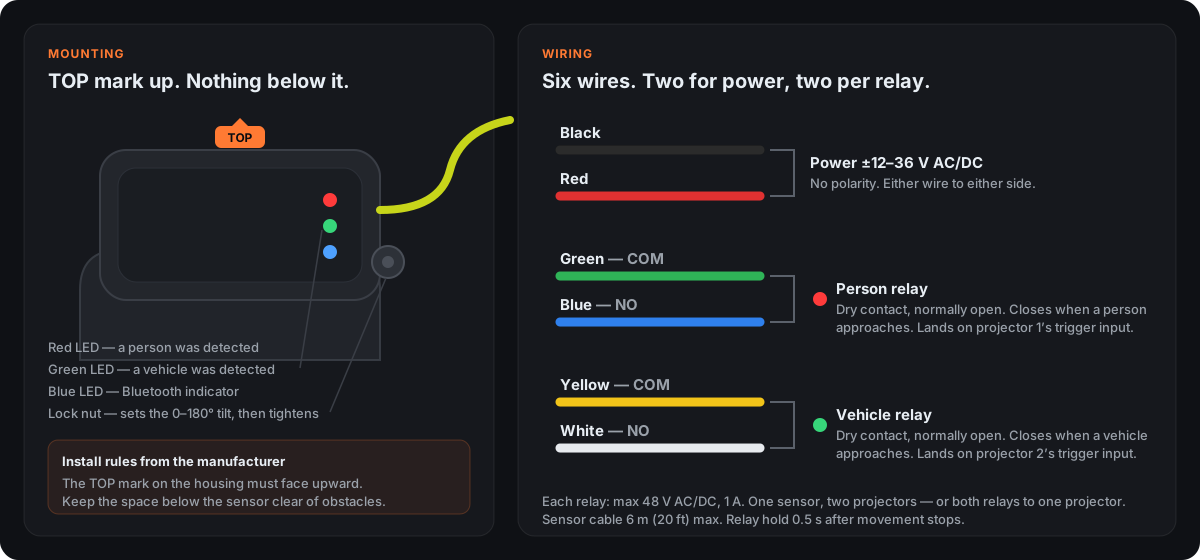
| Two relay outputs | Person relay: green + blue. Vehicle relay: yellow + white. Each rated 48 V AC/DC, 1 A. | One sensor can switch more than one projector, and it decides which relay fires. Wire both relays to one projector if you only want one warning. |
| Speed range | 5 cm/s to 25 km/h (about 2 in/s to 15 mph) | It sees a trailer creeping back to a dock as well as a forklift at aisle speed. Anything slower than a very slow walk is treated as stopped. |
| Direction recognition | Triggers on approach; sideways movement is filtered out | Trucks passing in the yard and forklifts crossing the far end of an aisle do not set it off. One sensor watches one direction of travel. |
| Mounting height | 2.0–9.0 m (6.5–29.5 ft), head tilts 0–180° | This is how high the sensor sits, not how far it sees. Higher mounts watch a bigger patch of floor; lower mounts a tighter one. |
| Detection footprint | About 3.0 × 3.5 m at a 2 m mount; about 6.5 × 8.5 m at a 9 m mount | Picture a rectangle on the floor in front of the sensor. Movement toward the sensor inside that rectangle is what triggers it. |
| Hold time | 0.5 s after movement stops, fixed | The projection switches off about half a second after the vehicle or person stops moving. Need it to stay on for a parked truck? A timer relay on the output does that. |
| Sensor cable | 5 m (16 ft) to the controller, fitted at the factory | The sensor plugs into a controller box, not the projector. Place the controller within that cable of the sensor and the projector within its own cable of the controller. |
| Projector cable | 1.5 m (5 ft) from the controller as standard; longer on request | The projector wires straight into the controller and needs no plug of its own. Tell us the run you need and it ships with that length. |
| Power | 12–36 V AC or DC, black and red wires, no polarity, max 75 mA | Any low-voltage supply an electrician already uses for door controls. Either wire to either terminal. |
| Adjustments | Sensitivity and range are factory-set | You aim it with height and tilt; there is nothing to tune on site. Tell us the opening and we size it before it ships. |
| Environment | IP65, −30°C to +60°C (−22°F to 140°F) | Built for a permanent outdoor mount above a dock door, in rain, sun, heat and freezing nights. |
| Indicators | Red LED = person detected, green LED = vehicle detected, blue = Bluetooth indicator | You can test the whole install by watching the lights before the projectors are even connected. |
| Size and life | 162 × 110 × 65 mm (6.4 × 4.3 × 2.6 in); 30,000–40,000 hours | About the size of a paperback, and years of continuous duty before replacement. |
Two independent relays: one closes for a vehicle, the other for a person. A forklift lane and a walkway through the same opening each get their own warning from one sensor.
A sensor can switch more than one projector, and the two relays let you split them: a keep-clear zone on the vehicle relay, a walkway line on the person relay. How many it can serve depends on how close together the projectors are and the 6 m sensor cable.
Rated from 5 cm/s, so a trailer easing back to a dock door is detected, not just a forklift at speed.
Sideways movement is filtered out. Traffic passing across the front of the door does not trigger it; something approaching does.
Radar needs no light. Darkness, dust, fog and smoke do not blind it.
No lens, no image, no footage to store or explain to staff. Motion detection only.
IP65 and rated −30°C to +60°C. A permanent mount above a dock door is exactly what it is for.
12–36 V AC or DC with no polarity, and dry-contact relays your electrician lands on the projector trigger input.
Plan for the hold time: the relay opens about half a second after movement stops, and that is not adjustable. A truck that has parked at the dock is no longer moving, so if the projection has to stay on while it sits there, ask us; a timer relay on the output does it and we spec it with the order.
| Detects | Vehicles and people, on separate relay outputs |
| Speed Range | 5 cm/s to 25 km/h (about 2 in/s to 15 mph) |
| Mounting Height | 2.0–9.0 m (6.5–29.5 ft); mounting height, not detection distance |
| Detection Footprint | About 3.0 × 3.5 m (10 × 11.5 ft) at a 2 m mount; about 6.5 × 8.5 m (21 × 28 ft) at a 9 m mount |
| Direction | One direction of approach per sensor; sideways movement is filtered out |
| Aiming | Vertical tilt adjustable 0–180° on the bracket, set with the lock nut |
| Relay Outputs | Two, independent: person (green COM + blue NO) and vehicle (yellow COM + white NO); each max 48 V AC/DC, 1 A |
| Response | Relay closes on detection; 0.5 s hold after movement stops (fixed) |
| Adjustments | Sensitivity and range are factory-set; not field-adjustable |
| Sensor Cable | 5 m (16 ft), factory-fitted, to the controller |
| Projectors Per Controller | 2–3 |
| Projector Cable | 1.5 m (5 ft) from the controller as standard; longer on request |
| Power Connection | Controller plugs into the outlet; sensor and projector wire into the controller |
| Operating Voltage | 12–36 V AC/DC, two leads, no polarity |
| Operating Current | Max 75 mA |
| Indicators | Red LED (person), green LED (vehicle), blue Bluetooth indicator |
| Temperature Range | −30°C to +60°C (−22°F to 140°F) |
| Water Resistance | IP65; suitable for permanent outdoor mounting |
| Operating Life | 30,000–40,000 hours |
| Dimensions | 162 × 110 × 65 mm (6.4 × 4.3 × 2.6 in) |
| Works With | Any Infinity projector with a trigger input: Laser Safety Line, Titan, LY-Pro, Laser Line |
| Turnaround | 1–2 weeks |
The one-page flyer: radar vs camera side by side, applications and technical specs. Handy to forward to whoever signs off.
It works as a switch. The projector has a trigger input; when the sensor's relay closes, the projector turns on and projects whatever it is set up to show: a gobo warning sign, a keep-clear zone, a laser floor line. When the relay opens again, it turns off. The sensor never changes the image. It only decides when the image is on.
For a line across the floor inside the door, the Laser Safety Line projector: it projects a crisp laser line the length of the bay and the radar switches it on as the trailer backs in. For a red keep-clear zone or a "TRUCK IN BAY" sign on the floor, a Titan or LY-Pro gobo projector with your own artwork. Either one accepts the radar trigger.
A Laser Safety Line projector for a boundary line down the aisle, or a Titan for a floor warning sign at the aisle entrance. Mount the radar at the end of the aisle facing the entrance, wire the vehicle relay to the projector, and the warning appears only while a forklift is actually coming.
Yes. Wire the person relay (green + blue) to one projector and the vehicle relay (yellow + white) to another. A pedestrian stepping into the aisle gets a walkway line from a laser projector; a forklift entering gets a red zone from a gobo projector; both from one sensor watching the same opening.
Yes. It is rated from 5 cm/s (about 2 in/s) up to 25 km/h (15 mph), so a slow reverse toward the door is detected. It also recognizes direction, so a truck driving past the door sideways does not set it off.
It switches the moment the relay closes. The relay holds for about half a second after movement stops, and that is not adjustable. If you need the projection to stay on while a truck sits at the dock, tell us; a timer relay on the output handles it.
More than one, and you rarely need a sensor per projector. How many depends entirely on the layout: projectors clustered around one opening can share a sensor, projectors spread along a long walkway cannot, because each sensor watches one patch of floor and its cable to the controller is 5 m (16 ft). As one example, a walkway lit by 23 projectors was estimated at about 10 sensors, but that assumed the projectors sat in groups; spread them out and the count goes up. Send us the layout and we size it.
Between 2 and 9 m (6.5 and 29.5 ft). That is the mounting height, not how far it sees. The footprint on the floor grows with height: about 3 × 3.5 m at a 2 m mount, about 6.5 × 8.5 m at 9 m. The head tilts 0–180° to aim it.
The TOP mark on the housing must face upward, and nothing may sit below the sensor: no shelving, signage or ducting in the space beneath it. Mount it on its bracket, set the tilt with the lock nut, then tighten.
The two are joined through a controller box. The sensor cable to the controller is 5 m (16 ft) and is fitted at the factory. The projector cable from the controller is 1.5 m (5 ft) as standard, and we fit a longer one if you tell us the run when you order. So plan the controller first: within 5 m of the sensor, and within the projector cable of the projector.
It is a small enclosure with the switching relay and terminals inside. The sensor is pre-wired to it, the projector wires into it, and the controller is the only part that plugs into an outlet. The projector needs no plug of its own.
Yes, two or three. The projectors wire into the same controller, each on its own cable, and they switch together: when the sensor sees movement, every projector on that controller comes on at once. If each projector should light only for the person or vehicle in front of it, each needs its own sensor and controller.
Yes, and it applies by itself in the cart: 5% off at 2–3 sensors, 8% at 4–6, 12% at 7–10, 15% at 11–20 and 18% at 21 or more, off every sensor in the order. A dock with four doors or a walkway with a dozen projectors gets the volume price without asking. Larger runs, or sensors mixed with projectors, go on a quote and are priced together.
Two LEDs on the front of the housing: red lights when a person is detected, green when a vehicle is. There is also a blue Bluetooth indicator. Walk through the zone, then drive through it slowly, and watch the LEDs before you connect the projectors.
No. Sensitivity and range are factory-set. What you can adjust is the mounting height and the 0–180° tilt, which together set where the footprint lands. Tell us your door or aisle and we size it for you.
Yes. It is IP65 sealed and rated −30°C to +60°C (−22°F to 140°F), so a permanent outdoor mount above a dock door is what it is built for.
Power is 12–36 V AC or DC on the black and red leads, with no polarity. Each relay is a dry contact (max 48 V AC/DC, 1 A) that lands on a projector's trigger input: green + blue for the person relay, yellow + white for the vehicle relay. The wiring diagram on this page shows all six wires.
Count zones. Each sensor watches one direction of approach across one patch of floor, so one dock door, one aisle entrance or one gate is one sensor, and a door used in both directions is two. A distribution center with four dock doors and two aisle entrances is six zones. Where several projectors sit close together in one zone they can share the sensor; where they are spread out, each group needs its own. Send us the layout and we count it with you, then set the quantity on this page and add them to the cart together.
Both. Every Infinity projector with a trigger input accepts it: the Laser Safety Line and Laser Line for floor lines, the Titan and LY-Pro for gobo warning signs and zones. It is also offered as an add-on on each of those product pages, or ordered on its own here.
Same idea. Mount the radar facing the lane, wire the vehicle relay to a projector aimed at the ramp or the gate apron, and the warning appears as a car or truck approaches. Outdoors is fine. A person walking through the gate can trigger a second projector from the person relay.
Radar when the trigger is a vehicle, a mixed lane, or anywhere outdoors, in dust, fog or the dark. It needs no light and records nothing. Camera when you want image-based detection of people with adjustable zones and a visual picture of the scene. A busy aisle with both forklifts and foot traffic often runs one of each. The comparison on this page lays the differences out side by side.
An infrared (PIR) sensor reacts to body heat. That suits people walking past a doorway, but it can miss someone standing still, and heat throws it off. Radar senses movement with microwaves, so it keeps working sealed inside a housing and is not affected by temperature. Choose radar for enclosed fixtures, freezers, hot spaces, and anywhere a vehicle is the trigger.
Yes. Both are sold separately: a limit switch that fires when a door opens, and a speaker that sounds a spoken warning with the projection. Tell us the door and the message and we will quote them with your sensors.
Sensing sensitivity only. We stock the high version, which is the one that detects both people and vehicles on separate relays.
1–2 weeks, the same as the projectors it ships with. Order it on its own here in any quantity, or add it to a projector on the projector page.
1–2 week turnaround. Order one per zone, any quantity.